On Site Data Wiping Service Explained
A device refresh goes off course the moment old hardware leaves your control with live data still on it. That is why an on-site data wiping service matters. For schools, businesses, resellers and public sector teams, it keeps the sanitisation step inside your own environment, under your own supervision, before devices move into storage, resale, refurbishment or redeployment.
The appeal is simple. You reduce transport risk, protect chain of custody and avoid stacking up redundant laptops or desktops while waiting for off-site processing. But the value is not just security. Done properly, on-site wiping can also speed up asset release, support audit requirements and make the next stage of the device lifecycle far easier to manage.
What an on-site data wiping service actually covers
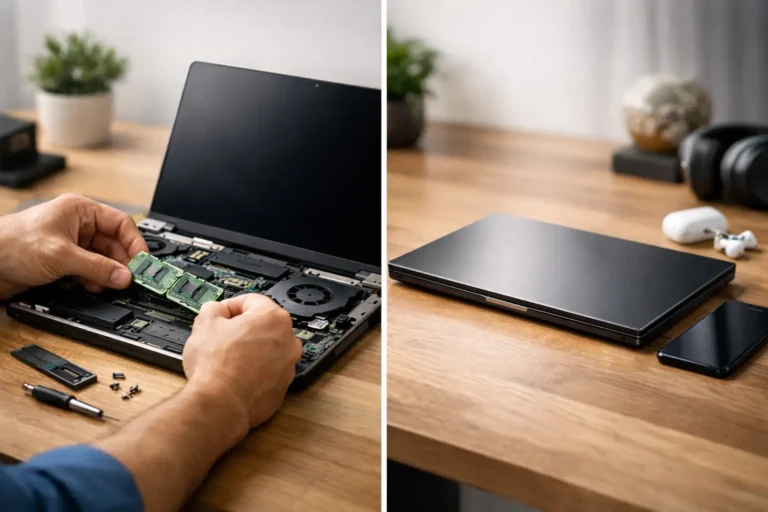
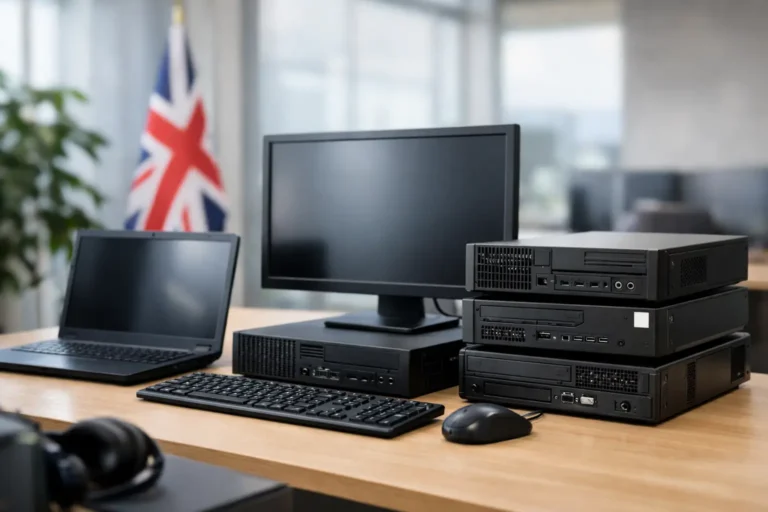
At a practical level, the service means certified technicians come to your premises and sanitise data-bearing devices where they are. That can include laptops, desktops, workstations, servers, tablets and sometimes removable media, depending on scope. The work is usually performed using approved erasure software, documented procedures and serial-level reporting.
This matters because wiping is not the same as deleting files or reformatting a drive. Standard deletion only removes the reference to data. A proper wipe applies an erasure process designed to make the information irretrievable through normal recovery methods. If a drive has failed or cannot be wiped logically, the next step may be physical destruction, also documented on site if required.
A good service will not treat every device the same. SSDs, HDDs, encrypted drives and damaged units all need different handling. The right process depends on the device type, the condition of the storage media and the outcome you need – whether that is redeployment, resale, return at end of lease or disposal.
Why organisations choose an on-site data wiping service
The strongest reason is control. Once devices leave your building without sanitisation, you are relying on transport security, handover accuracy and external timing. Many organisations are comfortable with that. Others are not, especially where staff records, financial data, safeguarding information or customer information are involved.
On-site wiping gives IT managers and operations teams a tighter process. Devices can be verified, wiped, logged and cleared for movement in one controlled window. That can be particularly useful during office closures, school IT refreshes, mergers, relocations or large fleet upgrades where volume creates pressure.
There is also a commercial point that often gets missed. Devices with a clear, documented data sanitisation status are easier to route into refurbishment and redeployment. If you want to recover value from retired hardware, speed matters. The longer assets sit untouched, the more value they lose and the more internal space they occupy.
Where on-site wiping fits in the wider device lifecycle
Data wiping is not a standalone box-tick. It sits in the middle of a wider asset flow. First, devices are identified and matched to an inventory. Then data is sanitised. After that, the equipment can be tested, graded, refurbished, redeployed or recycled.
That sequence matters. If the data step is delayed, everything behind it slows down. If it is undocumented, everything behind it becomes harder to defend from a compliance and governance point of view. A coordinated process is usually more effective than treating wiping, logistics and refurbishment as separate jobs handled by different suppliers.
For organisations managing hundreds or thousands of devices, this is where an integrated service model makes sense. Rather than moving assets through disconnected stages, the work is planned as one chain with clear ownership from collection through to final outcome.
What to expect from the on-site process
A credible provider should begin with scope. How many assets are involved, where are they located, what storage types are present, and what reporting is required. Without that, timing estimates are usually optimistic.
On the day, technicians will typically verify assets, scan or record serial numbers, run the approved erasure method and log the result for each device. Successful wipes are recorded as passes. Failed wipes are flagged for further action. That may mean a second attempt, quarantine, or physical destruction if the drive is not fit for logical erasure.
The reporting is just as important as the wiping itself. For many organisations, the certificate or asset-level report is the real deliverable because it proves the sanitisation event took place against specific hardware. If your internal audit team, insurer or compliance lead asks what happened to device X, you need a clear record, not a general statement.
On-site wiping versus off-site wiping
Neither model is automatically better. It depends on risk tolerance, device volume, location constraints and what happens to the assets next.
On-site wiping is usually the stronger fit where data sensitivity is high, chain of custody needs to stay tight, or internal stakeholders want visibility of the process. It also works well when assets are being released quickly for redeployment or handover.
Off-site wiping can still be valid where logistics are well controlled, the provider operates a secure facility and the asset flow is already centralised. In some cases, especially with scattered low-volume collections, it may be more cost-effective. The trade-off is that you are extending the period in which uncleared devices are in transit or awaiting processing.
The right decision is often operational rather than theoretical. A head office with 600 laptops due for collection next week has different needs from a small branch closing with 20 desktops. Good planning looks at both the security position and the movement economics.
Compliance, audit and proof
Most buyers asking for an on-site data wiping service are really asking for documented assurance. They need to show that data was handled correctly, by the right method, against the right assets, at the right time.
That means evidence should be specific. Device identifiers, wipe status, date, method used and exception handling should all be available. General certificates with no asset detail have limited value when someone asks for proof months later.
It is also worth checking how failed drives are handled. A provider may be able to wipe 95 per cent of assets logically, but your risk sits with the remaining 5 per cent if the exception process is weak. Physical destruction, witness options and downstream material handling should all be clear before the work starts.
Common mistakes when buying the service
The first mistake is treating wiping as just a collection add-on. If data sanitisation is business-critical, it needs proper scoping, not a casual line item.
The second is assuming every erase result is equal. Methods vary, device types vary and not every failed drive can be recovered through software. Ask how SSDs are managed, what happens with damaged media and what evidence you receive afterwards.
The third is ignoring what comes next. If your real goal is resale, redeployment or managed refurbishment, then wiping should be built into that pathway from the start. Otherwise you end up paying for a secure event that still leaves you with pallets of hardware and no onward plan.
Choosing a provider for an on-site data wiping service
Look for process maturity rather than broad claims. You want a provider that can explain scope, chain of custody, erasure methods, exception handling and reporting without dressing it up. Clarity is a good sign.
It also helps to choose a partner that understands hardware outcomes after sanitisation. If devices are going back into use, remarketing channels or a refurbishment programme, the handling standards need to protect both data security and asset value. Rough processing can reduce the resale return even if the wipe itself is compliant.
For many UK organisations, the best fit is a provider that can connect data handling with the rest of the lifecycle. That is where Refurb X Connect aligns well – not as a standalone wipe vendor, but as a coordinated route from sanitisation to refurbishment, redeployment and value recovery.
The real question to ask
The best question is not whether an on-site data wiping service is secure. The better question is whether it fits the way your assets actually move. If you need control, speed and proof before devices leave site, it is often the right model. If your volumes, locations or budget point elsewhere, a well-managed off-site route may be enough.
What matters is that the data step is not isolated from the rest of the device journey. When sanitisation, reporting and next-use planning are connected, the process gets cleaner, faster and easier to defend. That is usually where the real value sits.