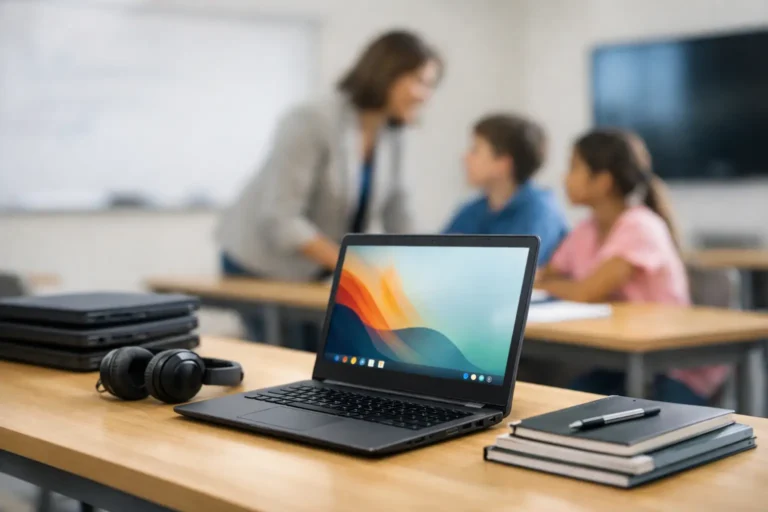
Refurbished Office Computers for Smarter IT Refreshes
A laptop refresh should not force a business to choose between overspending on new hardware and keeping unreliable devices in circulation. Refurbished office computers offer a third route: professionally restored enterprise equipment that is tested, configured and ready for productive use.
For UK organisations managing tight budgets, hybrid teams or growing headcounts, that distinction matters. A well-specified refurbished Dell, Lenovo or HP device can deliver the performance required for Microsoft 365, browser-based platforms, video calls and standard business applications at a significantly lower acquisition cost than an equivalent new machine.
Why refurbished office computers work for business
Most office workloads are not limited by the age of a device alone. They depend on whether the processor, memory, storage and operating system match the work being performed. A recent enterprise laptop with an Intel Core i5 processor, SSD storage and 8GB or 16GB of RAM remains highly capable for administration, finance, customer service, education and remote working.
Enterprise hardware is also designed for fleet use. Models from Lenovo ThinkPad, Dell Latitude and HP EliteBook ranges commonly include stronger chassis materials, business-grade keyboards, practical ports, security features and better serviceability than entry-level consumer models. When these devices return from lease, corporate refresh or managed IT programmes, many still have useful working life remaining.
The value is not simply in buying a used computer. It is in buying a device that has passed through a controlled refurbishment process. That should include diagnostics, component checks, storage testing, battery health assessment, operating system installation, cosmetic grading and final quality assurance.
The difference between used and professionally refurbished
A used device may be sold exactly as it was received, with unknown history, worn components or incomplete configuration. Professionally refurbished office computers should be assessed against a defined process before resale.
The process starts with secure handling. Any storage media must be erased using appropriate data-erasure methods before the device enters the resale channel. This protects the previous organisation and prevents residual data becoming a risk for the next owner.
Hardware diagnostics then identify faults that are not obvious from a quick power-on test. Storage health, ports, display condition, keyboard operation, webcam, speakers, Wi-Fi, charging and thermal performance all affect how the computer performs in real work. Failed or degraded components can be replaced where appropriate, while devices that do not meet the required standard should not be put back into circulation.
The final device should be supplied with a supported operating system, typically Microsoft Windows, configured for a clean start. Grade information should also be clear. Cosmetic wear may be acceptable for a back-office fleet or student deployment, but a customer-facing team may require devices with a higher visual grade. Performance and appearance are separate decisions, and buyers should be able to make both with confidence.
Specify the device around the workload
The right specification depends on the role, not just the purchase price. Buying the same model for every employee can simplify support, but it only works if that specification is suitable across the team.
For standard office users, an Intel Core i5 or comparable processor, 8GB of RAM and a 256GB SSD will often be sufficient. This is a practical baseline for email, spreadsheets, cloud systems, Teams calls and web applications. Where users work with larger spreadsheets, multiple browser tabs, reporting tools or several external displays, 16GB of RAM provides more headroom.
Design, development and data-intensive roles may need newer processors, more memory, larger SSDs or dedicated graphics. In these cases, refurbished hardware can still be a strong option, but the specification needs closer attention. A cheaper device becomes false economy if it slows down specialist work or requires replacement ahead of schedule.
Desktop computers deserve equal consideration. Refurbished small-form-factor desktops can be an efficient choice for fixed desks, call centres, libraries and education suites. They are often easier to standardise, can support multiple monitors and avoid the battery-related considerations associated with laptops. For staff who move between home and office, a refurbished business laptop with a dock and external monitor may offer a better balance.
Check Windows compatibility before buying
Windows compatibility should be part of procurement, not an afterthought. Organisations should confirm that devices support the intended version of Microsoft Windows and that their processor generation, firmware settings and security features align with internal requirements.
This is particularly relevant when replacing older fleets. A device that performs well on an outdated operating system may not be the right long-term choice if it cannot support the organisation’s future Windows plans. The purchase decision should account for the remaining supported life of both the hardware and software.
Cost control without compromising procurement standards
The headline saving on refurbished equipment is attractive, but procurement teams should assess total value rather than unit price alone. A consistent fleet reduces setup time, simplifies accessory purchasing and makes support documentation more useful. It can also reduce the number of spare models an IT team needs to hold.
For a 20-person deployment, sourcing one or two standard laptop models is usually more efficient than buying individual bargains from multiple sellers. Consistency helps with driver management, charger compatibility, docking stations and replacement planning. It also makes it easier to maintain a predictable user experience.
Warranty support matters here. Refurbished technology is not risk-free, and no hardware source can guarantee that every component will last indefinitely. A clear warranty process gives buyers a route to resolution if a fault arises. It is worth checking what is covered, how claims are handled and whether replacement devices can be supplied for business-critical roles.
Businesses buying in volume should also ask about configuration. Pre-installed Windows, asset tagging, serial number reporting, memory upgrades and storage options can reduce the workload on internal IT teams. Managed procurement is most effective when the devices arrive ready to enter the organisation’s own deployment process.
Security begins before resale
Data security is one of the strongest reasons to work with a specialist refurbishment partner rather than treating surplus IT as general waste. Devices leaving an organisation may contain employee details, customer records, financial documents, saved credentials and browser data. Simply deleting files or reinstalling Windows does not provide sufficient assurance that the previous data is inaccessible.
Secure IT asset disposition should create a controlled path from collection or handover through data erasure, testing, refurbishment and resale. Organisations should retain appropriate records for their own governance, particularly where the equipment was used to process sensitive information.
For the buyer, secure erasure also means receiving a computer free from the previous owner’s accounts, profiles and management settings. The device should be ready for new users, not carrying remnants of its former environment.
A practical route to more sustainable IT
Extending the useful life of capable business hardware reduces the demand for newly manufactured devices and keeps functional technology in active use. This supports a more circular approach to IT, where equipment is redeployed, refurbished and resold before responsible recycling becomes necessary.
The environmental case should still be practical. Refurbishment is most effective when a device has enough useful life left to justify the work involved. Very old systems with poor performance, unsupported software or failing parts may be better directed to responsible recycling. The goal is not to retain every device indefinitely. It is to make the best use of hardware that remains fit for purpose.
For schools, charities and public sector teams, this can make technology budgets go further. For businesses, it can turn an IT refresh into an opportunity to recover residual value from outgoing equipment while reducing the cost of replacement devices.
Questions to ask before placing an order
Before committing to refurbished office computers, confirm the processor generation, RAM, SSD capacity, screen size, ports, charger provision, operating system and cosmetic grade. Ask whether batteries are tested, whether devices are individually checked and what warranty support is available.
For fleet purchases, ask for consistent models where possible and establish how substitutions will be handled if stock changes. A transparent supplier will distinguish between what is guaranteed, what may vary and what can be configured to order.
Refurb X Connect approaches the process as a device lifecycle decision, not a one-off sale. The strongest outcome is equipment that fits the role, arrives ready for deployment and has a clear route for support, redeployment or resale when the next refresh cycle begins.
A good refurbished device should disappear into the working day: it starts quickly, runs the required software and gives users no reason to think about the hardware. That is the standard worth buying for.