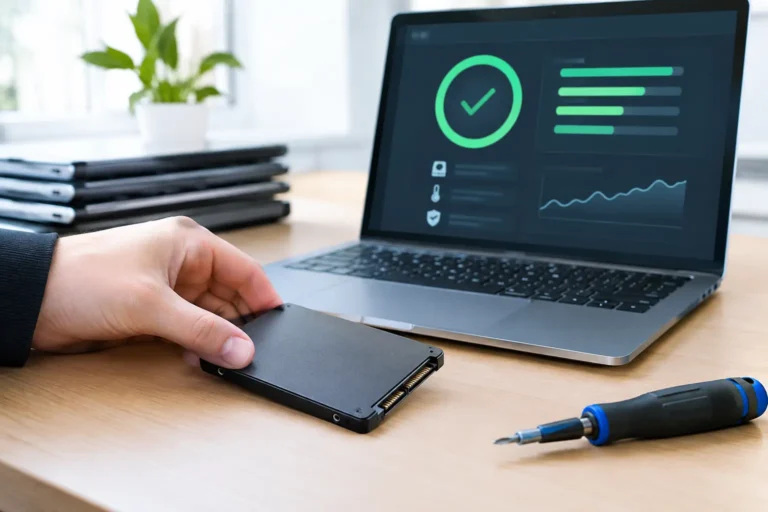
IT asset disposition in the UK, done properly
A laptop returns from a leaver. It still boots, still holds cached credentials, still has a browser full of sessions. It also has a resale value – and a disposal risk – on the same day. That tension is what makes IT asset disposition a real operational discipline, not an admin task.
For most UK organisations, the trigger is familiar: a Windows refresh, a school term change, a merger, a security incident, or simply devices ageing out of warranty. The hard part is not deciding to move them on. The hard part is controlling what happens next – data, compliance, logistics, residual value, and audit trail – without turning your IT team into a shipping department.
What IT asset disposition UK actually covers
“IT asset disposition uk” gets used as shorthand for end-of-life device handling, but the scope is wider than recycling. A proper ITAD process is a controlled chain from collection to final outcome, with evidence at each step.
In practice, it means four things happening in the right order. First, devices are identified accurately (asset tags, serials, model, condition). Then data is handled correctly (wiped, encrypted media destroyed, or devices quarantined where needed). Then the hardware is routed to the right destination (redeployment, refurbishment, parts harvest, recycling). Finally, documentation is produced that stands up to a supplier audit, an internal governance review, or a regulator’s questions.
If any of those steps is weak, you either create risk (data exposure, WEEE non-compliance) or you lose value (perfectly usable devices written off because nobody had time to test and grade them).
Why UK organisations get caught out
The failure mode is rarely “we didn’t care”. It’s usually “we did what was quickest”. Quick looks like a cupboard full of retired kit, an ad-hoc courier booking, or a well-meaning donation with no wipe evidence.
There are also common technical traps. Modern devices are harder to sanitise casually: soldered storage, device-based encryption, remote management profiles, and BIOS-level controls all change what “wiped” really means. If you have Apple devices with activation locks or Windows devices still enrolled in MDM, they can be functionally bricked for the next owner – even if they are cosmetically perfect.
And then there’s scale. Handling five laptops is a chore. Handling five hundred across multiple sites becomes a process design problem.
Data first: deciding between wiping and physical destruction
Data handling is the point where “disposal” becomes “asset disposition”. You’re not moving boxes, you’re closing a risk.
For most business fleets, secure data erasure is the default because it preserves value. A wiped, tested device can be refurbished and redeployed internally, sold to staff, or resold through professional channels. Physical destruction is typically reserved for scenarios where value is secondary to assurance – for example, failed drives that cannot be erased, devices involved in investigations, or media that falls under very strict internal policy.
There is an “it depends” here that matters. If your devices are encrypted end-to-end and you can prove key destruction plus verified wipe, that may satisfy your risk model while keeping the unit in circulation. If you cannot reliably validate wipe success across mixed storage types and conditions, destruction becomes a cleaner control – but you should accept you are trading off recoverable value.
Compliance: WEEE, duty of care, and what “auditable” means
In the UK, disposing of electrical equipment isn’t just a recycling preference. It sits under a duty of care mindset: you should be able to show that your equipment was handled by appropriate parties and went to an appropriate end.
WEEE compliance is part of this, but governance tends to demand more than a recycling receipt. An auditable ITAD trail usually includes collection records, asset lists, wipe or destruction evidence, and a clear statement of final treatment (reuse, parts recovery, recycling). If you’re a school, a healthcare supplier, a regulated firm, or you handle sensitive personal data at scale, your internal requirements may be stricter than the baseline.
The practical point is simple: if you can’t evidence it, you can’t defend it. That applies equally to data sanitisation and to environmental handling.
The operational model that works
A workable ITAD model is less about one heroic clear-out and more about routine control. The organisations that do this well treat ITAD as part of lifecycle management, not a one-off project.
Start by defining the disposition pathways you actually want. Some devices should go straight back into your estate after refurbishment. Some should be graded and sold to recover value. Some should be harvested for parts to keep other units alive. Some should be recycled because they are uneconomic to fix.
Once those pathways exist, the mechanics get easier. Collection becomes scheduled rather than reactive. Labelling and boxing becomes standard. Your IT team stops guessing and starts following a known route. And the business can forecast returns rather than hoping there’s value left after months in a storeroom.
What to look for in an ITAD partner
If you outsource any part of the process, evaluate the partner like you would any service that touches security and finance.
You need confidence on data handling. Ask how wipes are verified, how failures are treated, how devices are quarantined, and what happens with encrypted or locked units. If the answer is vague or overly sales-led, treat that as a risk signal.
You also need confidence on grading and value recovery. The difference between “scrap” and “refurbishable” is often a battery, a keyboard, or a known fault pattern. A partner with repair capability and parts access can route more units into reuse rather than disposal.
Finally, you need reporting that matches how you run your estate. That means asset-level records, not just “20 laptops collected”. It means serial-level outcomes and paperwork you can hand to auditors without rewriting it yourself.
The hidden value in doing ITAD well
Most people think value recovery is just resale. It’s broader than that.
Good ITAD reduces procurement pressure because more devices are suitable for redeployment. It reduces support friction because repaired units are standardised and tested rather than random hand-me-downs. It reduces incident risk because data handling is controlled and repeatable.
It also gives you decision data. If you can see which models fail early, which batteries degrade fastest, and which device families refurbish well, you can buy smarter next time. ITAD becomes feedback into procurement, not just an end-of-line cost.
A practical workflow for your next refresh
If you are planning a refresh cycle, the best time to design ITAD is before the first new device is rolled out.
Lock down your inventory view first. You need a clean list of what is being collected, where it is, and who is responsible for releasing it. Without that, everything else becomes detective work.
Then define data policy by device type. Laptops, desktops, tablets, and phones often need different handling because of storage architecture and management locks. Decide what “ready for transfer” means – for example, removed from MDM, activation locks cleared, BIOS passwords documented, chargers included where required.
Build the logistics path to reduce touch points. Fewer handoffs means fewer losses and fewer ambiguous moments in the chain of custody. Use consistent boxing, consistent labelling, and a collection schedule that matches site realities.
Finally, set expectations internally about outcomes. Some devices will fail wipe. Some will be beyond economic repair. Some will be held back due to missing chargers or unknown admin credentials. Planning for those exceptions is what keeps the process moving.
Where refurbishment fits – and where it doesn’t
Refurbishment is not a moral stance. It is a routing decision.
If a device can be restored to a defined standard, tested, and supported, refurbishment makes financial and environmental sense. If the cost of parts and labour exceeds the recovered value or the device cannot meet your performance needs, recycling is the correct outcome.
The mistake is assuming the answer is always one or the other. The right approach is mixed-routing, based on grading and policy. That is what stops good hardware being shredded and stops bad hardware being pushed back into use.
For organisations that want a single operational path from collection through data handling, repair, grading, and redeployment, a connected service model removes friction. Refurb X Connect operates as a coordinated hub rather than isolated steps, which is the point of a platform approach – one line of accountability across the lifecycle. If you want to explore that model, start at https://refurb-x.co.uk.
Common friction points and how to avoid them
The most common friction is credential and lock management. A device that is technically fine but still tied to an old user account, MDM profile, or activation lock will stall the entire pipeline. Make offboarding part of the ITAD checklist, not an afterthought.
The second is inconsistent condition. Devices come back with missing chargers, swollen batteries, or damaged screens, and no triage notes. Basic intake standards – even a simple “power on, check screen, check ports” – save time and preserve value.
The third is timing. Devices stored for months degrade in value and often in condition. Batteries sit flat, plastics crack, and models fall behind market demand. If you want value recovery, shorten the gap between decommission and processing.
A controlled IT asset disposition process is not about being perfect. It is about being consistent: the same inputs, the same checks, the same evidence, and the same routing decisions, every time. The best outcome is that nobody in your team has to think too hard about it – because the process is already connected to how you run your estate.