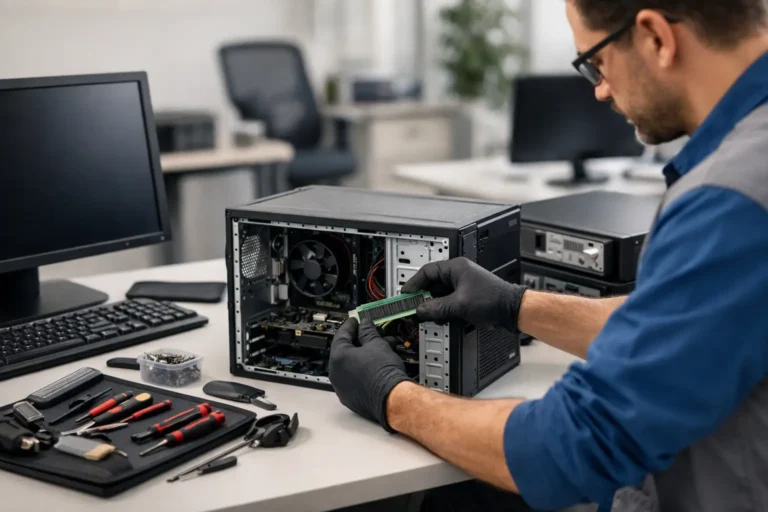
How to Prepare Laptops for Redeployment
A laptop that looks fine at switch-on can still fail a redeployment the moment it reaches a new user. Missing BIOS settings, weak battery health, poor asset records or an incomplete data wipe can turn a cost-saving exercise into a support issue. That is why knowing how to prepare laptops for redeployment matters well before devices leave storage or come back from a user estate.
For businesses, schools and managed IT teams, redeployment is not just a hardware task. It sits between security, compliance, user experience and asset value. The process needs to be repeatable, documented and realistic about what each device is still capable of doing.
What redeployment actually requires
A redeployed laptop has to be secure, functional and fit for its next role. Those are related, but they are not the same thing. A device can pass a basic power test and still be unsuitable because the battery is degraded, the webcam has failed or the casing damage creates a future support risk.
The right standard depends on the destination. A laptop moving between office users may need only a verified wipe, a fresh image and a condition check. A device going into a school pool or resale channel usually needs tighter grading, stronger documentation and clearer performance thresholds. This is where many teams lose time – treating every unit the same when the end use is different.
How to prepare laptops for redeployment: start with intake
Good redeployment starts at intake, not at the wipe stage. Each laptop should be logged against an asset record with serial number, model, specification, charger status and visible condition. If the machine arrived from a leaver, office clear-out or refresh project, note any missing accessories and whether it was returned locked, damaged or non-booting.
This first step sounds administrative, but it controls the rest of the workflow. Without accurate intake data, devices get misclassified, repair decisions become guesswork and stock visibility drops. For larger estates, this is often where a centralised process adds the most value.
Check for account locks and management controls
Before any technical work begins, confirm whether the laptop is tied to device management, BitLocker, BIOS passwords or vendor-level locks. Windows Autopilot registration, MDM enrolment and firmware restrictions can all block reuse if they are not removed correctly.
This is also the point to confirm ownership status. If a machine is still assigned to a user, department or lease schedule, redeployment should pause until that record is closed properly. It is faster to resolve these issues now than after imaging.
Secure data wiping comes before refurbishment
If the laptop has previously held business or student data, secure erasure is not optional. Drives must be wiped using a method appropriate to the storage type and your compliance requirements. SSDs, NVMe drives and traditional hard drives do not all behave the same way, so a single blanket approach can be ineffective.
In some cases, drive destruction is the better option. That tends to apply where the drive has failed, cannot be accessed for verified erasure or falls under stricter data handling rules. The trade-off is obvious – destruction reduces risk, but it also removes a potentially reusable component.
Verification matters more than intention
A wipe process only counts if it can be evidenced. Teams should retain logs, certificates or system records that show what was erased, when, and by which method. This protects the organisation if questions come later from auditors, clients or internal stakeholders.
It also avoids the common mistake of assuming a factory reset is enough. In most managed environments, it is not.
Assess condition before spending money on parts
Once data has been handled, the next job is triage. Check display condition, keyboard function, ports, trackpad, camera, speakers, hinges, wireless connectivity and battery health. Run diagnostics on memory, storage and thermal behaviour. A device that overheats under load may pass a visual inspection but still fail in live use.
This stage should lead to a practical decision: redeploy as-is, repair, upgrade, strip for parts or recycle. Not every laptop should be saved. If labour and parts exceed the value of the machine or if the platform is too old for the intended workload, redeployment becomes false economy.
For example, replacing a battery in a business-grade model with good processor support may be sensible. Rebuilding a low-spec unit with multiple faults for a demanding user usually is not.
Repairs and upgrades should match the next user
Redeployment works best when the laptop is prepared for a defined role. A device going to light admin use may only need cleaning, imaging and battery confirmation. A unit for hybrid working may need a better battery, reliable webcam and verified Wi-Fi performance. A laptop moving into a pupil loan pool may need stronger cosmetic refurbishment because handling will be rougher.
Memory and storage upgrades can extend useful life, but only if the rest of the platform still supports current software and security standards. There is little value in fitting a larger SSD to a machine that will struggle with the operating system over the next year.
Clean the device to a deployable standard
Physical presentation is not cosmetic only. Dirt in keyboards, blocked vents and residue on screens affect both function and perception. A clean device signals that the laptop has been processed properly, while a poorly presented one creates doubt even if the internals are sound.
Cleaning should include external surfaces, keyboard, vents, ports, display and charger. Labels should be removed or replaced where needed, and old asset tags should not remain visible if they create confusion. For shared environments, this matters more than many teams expect.
How to prepare laptops for redeployment with imaging and configuration
Once the hardware has passed inspection, the laptop should be rebuilt to a defined software standard. That usually means a clean operating system image, current drivers, required security tools and policy-aligned settings. Avoid carrying over unknown software from the previous user environment.
Configuration should also include naming conventions, asset tag alignment, BIOS settings, encryption posture and patch level. If the laptop is returning to a managed estate, it should be enrolled back into the appropriate platform before issue, not after first login.
Standard builds reduce support volume
A consistent image and configuration process makes redeployment faster and lowers support tickets later. It also helps mixed estates where devices vary by model. The objective is not to make every machine identical. It is to make outcomes predictable.
That is where an integrated workflow helps. At Refurb X Connect, the value is not only in fixing hardware. It is in linking data handling, diagnostics, repair and deployment steps so devices move through one controlled path rather than several disconnected ones.
Test for real use, not just power-on
A redeployment-ready laptop should be tested in a way that reflects the work it is about to do. Boot tests alone are too light. Devices should be checked for battery discharge behaviour, sleep and wake, charger recognition, wireless stability, webcam use, keyboard accuracy and sustained performance under load.
If a laptop will be issued remotely, test packaging and charger pairing as well. Sending out the wrong wattage charger or a unit with intermittent Wi-Fi can erase any savings made through refurbishment.
For organisations handling volume, pass/fail criteria should be written down. Terms like good condition or working order are too loose on their own. Clear thresholds create better internal decisions and cleaner handover between teams.
Keep records that support the next stage
Redeployment is easier to scale when every laptop leaves the process with a clean record. That should include wipe status, repair actions, test results, installed specification, condition grading and assigned destination. If there is a future fault, the team can see exactly what was done and when.
This record also helps with reporting recovered value across an estate. Redeployment is often measured against replacement cost, avoided waste and reduced procurement pressure. Without records, those gains are hard to prove.
The handover should be as controlled as the rebuild
The final step is release. Confirm the intended user, site or stock destination. Pair the correct charger and accessories. Update asset registers. If the laptop is going into managed service, make sure support ownership is clear from day one.
A poor handover creates avoidable friction. The device may be technically ready, but if it reaches the wrong user, lacks a charger or has not been recorded properly, the process has still failed.
The most effective redeployment programmes are not built on one-off clean-ups. They run on standards, evidence and good timing. Treat each laptop as part of a system, not an isolated repair job, and the next deployment becomes easier than the last.