A Guide to Refurbished Device Quality Standards
A refurbished laptop that starts up is not necessarily ready for work. It may still have a weak battery, an intermittent USB port, a worn keyboard or an outdated operating system. This guide to refurbished device quality standards sets out what professional refurbishment should cover, so buyers can separate properly processed IT from used equipment that has simply been cleaned and relisted.
For organisations, the standard matters beyond the individual device. A weak process creates support tickets, inconsistent user experience and avoidable replacement costs. For schools, charities and home users, it can mean limited budgets are spent twice. Quality standards provide a practical way to assess whether a refurbished device is fit for its intended role.
What refurbished quality should mean
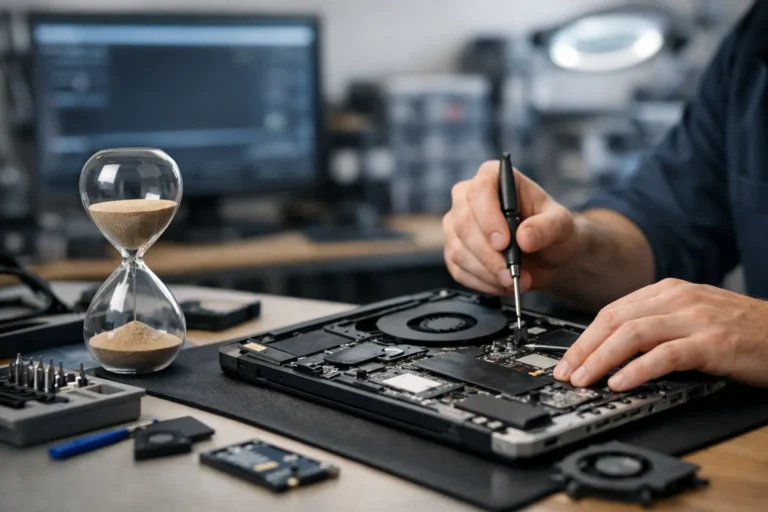
Refurbished is not a single condition. It describes a process, and the quality of that process varies between suppliers. A professionally refurbished device has been inspected, tested, cleaned, configured and graded against defined criteria. Where faults or worn components are identified, they are repaired or replaced before resale.
This is different from a second-hand device sold as seen. It is also different from an open-box item, which may have had little or no prior use. Buyers should not assume that terms such as “renewed”, “reconditioned” or “certified” guarantee the same scope of work. Marketplace programmes, including Amazon Renewed, may set seller requirements, but the actual inspection detail, grading language and warranty terms should still be checked.
A useful quality standard answers three questions clearly: what was tested, what was changed, and what condition can the buyer reasonably expect on arrival.
The core checks in a refurbished device quality standard
Identity, specification and provenance
The device must first be identified correctly. This includes the manufacturer, model, serial number, processor, memory, storage capacity, screen size and installed operating system. Accurate specifications prevent a common procurement problem: receiving a similar-looking model with lower performance, less memory or incompatible ports.
For business hardware, provenance also matters. Devices originating from managed fleet refreshes can be strong candidates for refurbishment because their specification and ownership history are often easier to verify. The supplier should maintain serial-level records throughout intake, testing and resale. This supports traceability if a warranty issue appears later.
Secure data erasure
Data security is a quality requirement, not an optional extra. Any storage device from a previous owner must be erased using an appropriate verified process before the machine is redeployed or sold. Simply deleting files, formatting a drive or reinstalling Windows does not provide adequate assurance that historical data cannot be recovered.
A professional process records the erasure outcome against the device or drive. If a storage device cannot be securely erased, it should not continue through the resale process with the old data-bearing media in place. For organisations managing IT asset disposition, documented erasure provides an essential control between collection and reuse.
Hardware diagnostics and functional testing
A credible testing process checks more than whether the device powers on. It should assess the components that affect daily use: processor operation, memory stability, SSD or hard drive health, charging function, keyboard, trackpad, display, speakers, webcam, microphones, Wi-Fi, Bluetooth and physical ports.
On laptops, battery health deserves specific attention. Batteries are consumable components and their remaining capacity will differ by age, device type and prior use. A supplier should state its battery policy rather than implying every refurbished laptop has a new battery. For a device used mainly on mains power, moderate wear may be acceptable. For remote workers, field teams or pupils moving between lessons, stronger battery performance is likely to be a priority.
Testing should also account for the device category. A monitor requires checks for backlight consistency, dead pixels, input ports and stand adjustment. A tablet needs touch-screen, camera, charging and wireless testing. Apple Mac hardware requires attention to battery condition, keyboard operation, display quality and supported macOS versions. Chromebooks require confirmation of Auto Update Expiration dates, as this can directly affect their useful life in education.
Component replacement and configuration
Refurbishment may involve replacing failed or degraded parts, such as storage drives, memory, keyboards, chargers or batteries. The quality point is not that every part must be new. It is that replacement components should be compatible, tested and suitable for the device’s intended use.
Storage upgrades are often valuable because a healthy SSD can materially improve boot times and day-to-day performance in older enterprise laptops. Memory upgrades can also extend a device’s practical lifespan, particularly where users run several browser tabs, Microsoft Teams, office applications and cloud-based systems at once. The right configuration depends on workload. A basic administration laptop does not need the same specification as a design workstation.
The operating system should be installed cleanly, activated correctly and configured for the agreed setup. For Windows devices, that includes checking version support, drivers, updates and licence status. Business buyers may need a standard image, Autopilot-ready preparation or device naming conventions. These are deployment requirements, but they also reduce friction after delivery.
Grading should describe cosmetics, not hide faults
Device grading is useful when it is applied consistently. It should explain the cosmetic condition of the unit after functional testing, not act as a substitute for testing. A Grade A laptop may show very light signs of use. Grade B may have visible marks, light scratches or minor wear. Grade C commonly indicates more pronounced cosmetic wear while remaining fully functional.
The exact labels are not universal. One supplier’s Grade A may look different from another’s, so the written definition matters more than the letter itself. Buyers should expect clear information on screen marks, casing wear, keyboard shine, dents, stickers or missing accessories where relevant.
Cosmetic tolerance should reflect the deployment. A Grade B fleet can be a sensible value choice for a back-office refresh, student loan scheme or charity project. Customer-facing teams and executive users may require a cleaner appearance. Neither choice is inherently better. The decision is about budget, environment and expectations.
Warranty is part of quality control
A warranty does not replace testing, but it shows whether a supplier stands behind its process. The terms should identify the warranty period, the reporting route, whether repair or replacement is offered, and what is excluded. Battery coverage may differ from general hardware cover because capacity naturally declines with use, but that policy should be stated plainly.
For a business order, clarify the practical support model before purchase. Ask how faults are diagnosed, whether serial numbers are required, what turnaround is typical and how replacements are handled when multiple users are affected. A low unit price can lose its value quickly if every failure requires a long, uncertain support process.
How to assess a supplier before placing an order
Buyers do not need to audit every test bench, but they should ask focused questions. Can the supplier explain its data-erasure method? Is there a defined grading guide? Are batteries assessed? Does each device receive functional testing? Is the operating system properly licensed and supported? Can the supplier provide serial-level records for a business batch?
The answers should be direct. Vague phrases such as “fully checked” or “good working order” do not explain the scope of work. A reliable refurbishment partner can describe its process without making unrealistic promises. For example, an older laptop can be a highly capable device for web, office and remote-working tasks, while still being unsuitable for current high-end creative workloads or demanding software development.
For bulk procurement, request consistency as well as quality. Mixed models, different charger types and varying screen specifications make support harder for IT teams. A well-managed batch has an agreed bill of materials, defined cosmetic grade, consistent configuration and clear acceptance criteria before dispatch.
Fit for purpose is the final standard
The best refurbished device is not always the newest one or the one with the cleanest casing. It is the unit that meets the required workload, security position, battery expectation and support window at a sensible cost. A three-year-old enterprise laptop with an SSD, adequate memory and current Windows support can be a better operational choice than a newer consumer device with limited repairability.
Quality refurbishment extends the useful life of capable equipment and keeps valuable materials in circulation for longer. It also gives organisations a more controlled route for redeploying surplus hardware rather than treating every refresh cycle as a disposal exercise.
Before committing to a purchase, set the standard around the people who will use the devices. Clear requirements at the start make refurbished IT easier to deploy, easier to support and far more likely to deliver value over its next working life.