Refurbished Laptops for Schools: What Works
A Year 8 class doesn’t care whether a laptop is brand new. They care whether it boots quickly, holds a charge through two lessons, and can handle the tools you’ve standardised on without crashing halfway through an assessment. For schools, that gap between “good enough” and “good for three years” is where refurbished laptops either pay off or become a time sink.
This is a practical guide to buying refurbished laptops for schools in the UK – with the questions that matter for curriculum delivery, safeguarding, and workload on IT.
Why refurbished makes sense in school estates
Most school device strategies are constrained by two things: budget and time. Refurbished devices reduce the upfront cost, but that only helps if the estate stays predictable once it lands on site. The real win is consistency – buying in batches of the same model, imaging once, stocking one charger type, and keeping spares that actually match what’s in classrooms.
Refurbished also fits the reality of school usage. Devices get moved, dropped, charged badly, and used in bursts. Paying a premium for “latest generation” rarely changes student outcomes, but paying for better batteries, decent hinges, and a clear warranty often does.
There are trade-offs. You might not get the thinnest chassis or the newest ports, and you need to be more deliberate about supplier standards. But with the right spec and process, refurbished laptops can deliver a stable learning platform at fleet scale.
Set the spec by lesson type, not by wish list
The quickest way to overspend is to spec for edge cases. Start by mapping actual usage.
If devices are for web apps, Microsoft 365, Google Workspace, lesson resources, and light media, you want reliable baseline performance and battery health. If the same devices will be used for creative subjects, coding, CAD, or media editing, your minimums shift.
For most schools, a sensible baseline for refurbished laptops is an Intel Core i5 (8th gen or newer) or AMD Ryzen 5 equivalent, 8GB RAM as a true minimum and 16GB where budgets allow, and a 256GB SSD. SSD is non-negotiable for boot time, updates, and user experience. Avoid HDDs completely – they fail more often and they slow everything down.
Screen size depends on how you deploy. A 13-14 inch laptop works for portability and shared trolleys. A 15.6 inch screen can be better for SEND needs and extended writing but is heavier and more fragile in transit. For classroom sets, durability matters more than aesthetics. Look for business-grade lines rather than consumer models, because they’re built for higher duty cycles and have better parts availability.
Ports are practical. If you still rely on HDMI to project, make sure the model has it, or plan for USB-C adapters and the cost of replacing them when they disappear. If you need wired network imaging at speed, check for Ethernet support or a standard dongle.
Battery health is a budget line, not a footnote
Battery condition is one of the biggest differences between a “cheap refurb” and a workable school deployment. In a school day, a device that lasts 2-3 hours creates charging queues, lesson disruption, and extra management overhead.
Ask for clear battery health criteria. That could be a minimum percentage of original capacity, a maximum cycle count, or a defined standard for replacement. The point is to avoid mixed battery performance across the same batch.
Also think about how students will charge. If you’re using charging trolleys, check the laptop’s charging connector strength and whether the PSU is a standard wattage. If devices are charged at home, consider USB-C charging for simplicity – but only if the laptop actually supports power delivery properly.
Safeguarding, data handling, and chain of custody
Schools have a duty to manage data securely, and that includes any device that has been previously owned. A refurbished laptop is only acceptable if the refurbishment process includes verified data sanitisation and a traceable process.
You want explicit confirmation that drives are wiped to a recognised standard, and you want that done before devices are redeployed. If drives are replaced, you want the same assurance on the replacement media supply chain.
This is also where you should be cautious with ad-hoc sourcing. Buying job lots from unknown channels might look like savings, but if you can’t evidence data handling and provenance, you’re taking a risk that isn’t worth the procurement headache.
Warranty and support: choose the workload you want
Warranty isn’t just about cost. It’s about who carries the operational burden when a batch starts failing.
A good school-friendly warranty is one that is clear on turnaround times and what “fixed” means. If you don’t have spare capacity in-house, you need a process that keeps lessons running – either by holding spares on site or by having a rapid swap model.
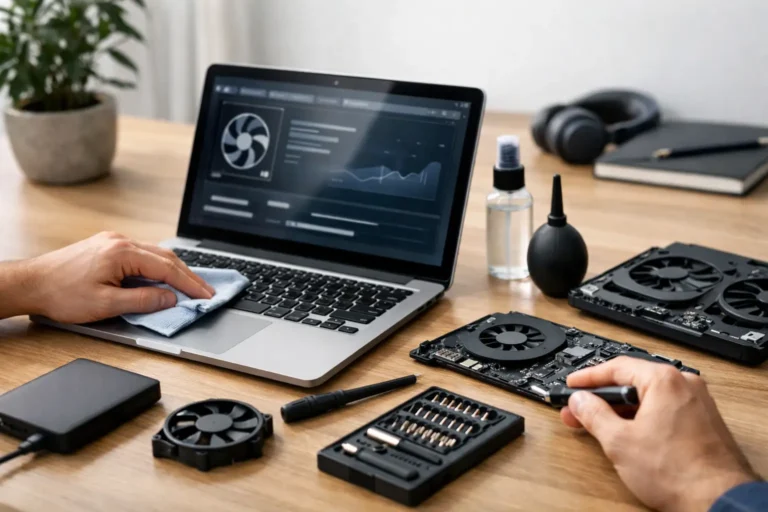
Refurbished laptops can have slightly higher early-life failure rates than new devices if they haven’t been refurbished consistently. That’s why the supplier’s testing process matters more than the headline warranty length. Ask what gets tested (keyboard, trackpad, USB ports, Wi-Fi, webcam, microphones, screen defects) and what parts are commonly replaced as part of standard refurbishment (batteries, fans, thermal paste, storage).
It also depends on your estate size. If you’re buying 20 devices for a small intervention space, you can manage issues informally. If you’re rolling out 500 across departments, you need formal RMA flows and predictable stock.
Windows, ChromeOS, or a mixed estate
Refurbished laptops work well for both Windows and Chrome-based workflows, but your choice changes the spec and the operational model.
Windows laptops give you flexibility, legacy application support, and deeper device control – but they need disciplined patching, storage headroom, and consistent build images. A Windows refurb with 8GB RAM and an SSD is usually fine for core workloads, but avoid devices that can’t run Windows 11 if you’re trying to standardise for the next few years. Even if you don’t move immediately, compatibility affects lifecycle planning.
ChromeOS-style approaches (including ChromeOS Flex on suitable hardware) can simplify management and reduce local storage dependence, but you need to validate that your chosen models are compatible and that your web-based tools meet curriculum requirements. Some vocational and creative subjects still need Windows applications, so many schools land on a mixed model: Chromebooks or Chrome-style devices for general use, Windows for specialist rooms.
Imaging and rollout: the hidden cost centre
The refurbished laptop itself is only part of the project. The rollout is where budgets and timelines can drift.
If you want a smooth deployment, decide early whether devices will be delivered with your build image applied, enrolled into your MDM, and asset tagged. A batch that arrives inconsistent – different BIOS settings, different Windows editions, mixed drivers – creates hours of work and increases the chance of devices behaving differently in classrooms.
Standardise BIOS settings where possible: secure boot, TPM enabled, boot order locked down, and USB boot rules aligned with your imaging approach. If you’re using BitLocker, confirm TPM functionality and how recovery keys are stored in your environment. These are small details, but they’re the details that stop a device being usable when a pupil forgets their PIN or a device is reissued mid-term.
Asset control matters too. Schools lose devices through simple friction: no consistent naming, no tag, no ownership assignment. Refurbished doesn’t change that, but it makes it easier to justify doing it properly because you’re already in a lifecycle mindset.
Procurement checks that prevent surprises
Before you place a large order, validate a sample unit. Don’t just boot it and tick a box. Use a simple acceptance routine that reflects classroom reality: join Wi-Fi, run updates, open your key platforms, test webcam and mic, plug in HDMI or your chosen adapter, and check battery behaviour over a lesson-length window.
Also confirm you’re getting consistent models. “Equivalent spec” is not the same as “same model”. Mixed estates increase driver issues, increase spare parts variety, and make support harder.
Ask about grading. Cosmetic grading matters less in schools than functional grading, but dents and loose hinges are functional problems waiting to happen. If you’re deploying to pupils, you’ll also want keyboards that are uniform. A surprise layout difference causes support tickets you didn’t budget for.
Total cost over three years
Refurbished works when it lowers total cost, not just purchase price.
Budget for spares. A small buffer stock reduces downtime and keeps staff confident in the scheme. Budget for chargers too – they are the most commonly lost item in any school estate.
Plan refresh cycles intentionally. If you buy refurbished laptops that are already 3-4 years into their original life, you might only get 2-3 strong years out of them. That’s fine if you plan for it and if the upfront cost supports a shorter lifecycle. If you need 4-5 years, you may need newer refurb stock, higher-grade refurbishment, or a mix of refurbished and new.
Sustainability is part of this calculation as well. Extending device life reduces e-waste and the demand for new manufacturing, but only if the devices remain in use. A poorly planned refurb rollout that results in cupboards of “nearly working” laptops is not sustainable. It’s just deferred disposal.
Choosing a refurbishment partner, not just a supplier
For schools, the best outcomes come from a partner that can coordinate sourcing, consistent restoration, data handling, and deployment prep – because that’s where the friction sits. If you want devices to arrive ready for your environment, you need more than a box-moving reseller.
If you’re looking for a coordinated route from acquisition through refurbishment to redeployment, Refurb X Connect is set up around that end-to-end model, with a focus on standardised quality and controlled processes rather than one-off fixes.
The practical test is simple: can they deliver the same model in volume, prove what was done to each device, and support you when the real-world failures appear two months into term.
A closing thought
A refurbished laptop programme is less about finding a bargain and more about designing an estate you can run without drama. When the devices are consistent, the data handling is auditable, and the rollout is controlled, refurbished stops being a compromise and becomes a straightforward way to keep learning moving while budgets stay realistic.