A school laptop recycling scheme that works
A cupboard full of retired laptops is not “stock”. It is risk, cost, and wasted teaching potential.
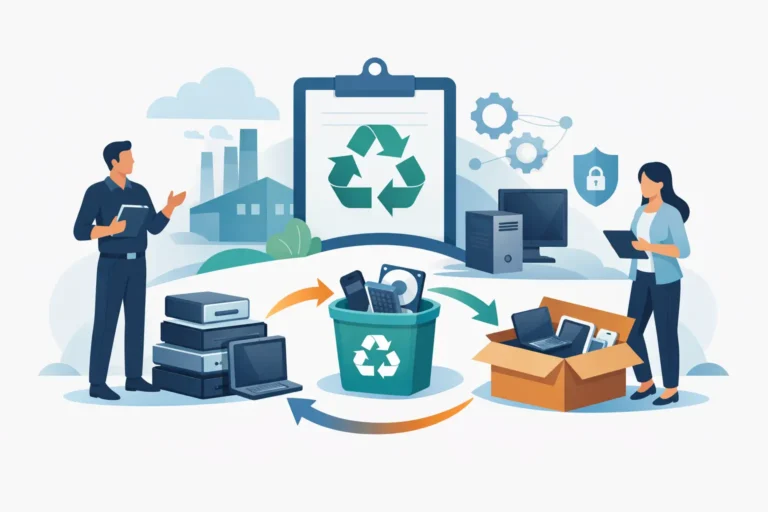
Most schools end up with the same backlog: devices that are too old for day-to-day lessons, not quite broken enough to bin, and too sensitive to hand out informally. Meanwhile, the next refresh cycle is already being planned and budgets are tight. A well-run school laptop recycling scheme fixes that tension by turning end-of-life kit into a controlled, auditable process – with clear outcomes for data security, sustainability, and value recovery.
This is not about running a donation drive and hoping for the best. It is about putting lifecycle control around a device fleet.
What a school laptop recycling scheme should achieve
A scheme is only worth running if it delivers on three non-negotiables.
First, data. Schools hold safeguarding information, pupil records, staff details, assessment data, and cached credentials. Anything short of verified data destruction creates avoidable exposure.
Second, continuity. Recycling cannot become a side project that drains the IT team. If collection, triage, and paperwork create extra work, the cupboard fills up again.
Third, measurable outcomes. You need numbers that make sense to leadership and governors: devices redeployed, devices recycled, carbon reporting support if required, and any financial return against the refresh.
If any of those are missing, what you have is disposal. Not a scheme.
Start with scope, not slogans
Before you touch the devices, define the scope. It keeps the programme tight and stops it being derailed by edge cases.
Decide which assets are in. Typically that is laptops, Chromebooks, and their chargers. Tablets can be included, but they tend to introduce different handling rules and lower residual value. Decide whether peripherals are included or handled separately.
Then decide which outcomes you want for each age band of device. A practical model is:
- Current-generation kit: redeploy within school where possible.
- Mid-life kit: refurbish for loan pools or targeted student support.
- End-of-life kit: recycle with compliant processing and documented data destruction.
The trade-off is simple. The more you try to do with the oldest devices, the more you spend on labour, parts, and support time. There is a point where “refurbish” becomes “subsidise failure”. Your scheme should draw that line clearly.
Build an inventory you can trust
A recycling scheme fails quickly if you cannot identify what you are sending out.
Start with asset tags and serial numbers. If your existing inventory is incomplete, do not wait for perfection. Build a working list for the batch you are processing now, then improve the baseline each cycle.
At minimum, capture:
- device type and model
- serial number
- charger status
- condition notes (screen, keyboard, casing)
- whether the device powers on
If you manage devices with MDM, note ownership status and whether the device is still enrolled. A device that is still tied to management can become a refurbishment bottleneck later.
A small but important detail: agree naming conventions. “HP laptop” is not an inventory line. “HP ProBook 440 G7” is.
Set data handling rules that match a school environment
Data handling is the part that needs zero ambiguity.
For managed devices, your process may already include remote wipe and account deprovisioning. That is a good start, but it is not the end of the story. Drives can retain data remnants, and some failures prevent a remote wipe completing.
For a school laptop recycling scheme, you want two layers:
- administrative removal – users deprovisioned, devices removed from tenant/MDM where relevant
- technical sanitisation – verified wipe to a recognised standard, or physical destruction where wipes are not possible or not appropriate
“It depends” factors matter here. Solid-state drives behave differently to spinning drives. Devices with soldered storage can be harder to handle if they fail. Chromebooks require deprovisioning steps to avoid locked devices. Your scheme should define what happens when a device cannot be wiped normally.
Also decide how you will handle devices that belonged to staff versus shared classroom devices. Staff devices often have local data and cached access tokens. Treat them as higher sensitivity by default.
Plan logistics like you are moving controlled equipment
Schools are busy sites. Collections that arrive at the wrong time create disruption, and unmanaged storage creates loss risk.
Set a fixed collection window, and only stage devices once you are within that window. Use a single, controlled holding area. If you have multiple buildings, do not create multiple mini-stores unless you can secure and reconcile each one.
Packaging matters. Loose laptops in a box will arrive damaged and reduce refurbishment yield. If you want value back, treat handling as part of value preservation.
Chain of custody should be documented from the moment devices leave your control. That means a signed collection record tied to the serial list. If your provider cannot support this, that is a red flag.
Triage fast, then decide: redeploy, refurbish, recycle
Triage is where you stop wasting time on devices that will never be viable.
A good triage process is quick and consistent. Power test, display check, keyboard and trackpad, battery health where practical, and a basic storage check. You are not repairing at this stage. You are sorting.
From there, make decisions that fit a school’s support reality.
Redeploy is best for devices that are still reliable and compatible with your current environment. These might become staff spares, exam devices, or library loaners.
Refurbish is best for devices that are structurally sound but need predictable work – a battery, a keyboard, a storage swap, a fresh OS image. The key word is predictable. If the device needs intermittent fault-finding, the labour cost can quickly exceed its value.
Recycle is the right call when devices are cosmetically poor, underpowered for your required workloads, or have security or management complications that make them hard to repurpose.
A scheme that sends everything to refurbishment will disappoint. A scheme that recycles everything will leave value on the table. The right balance depends on device age, your internal capacity, and the demand for loan devices in your community.
Decide what “recycling” actually means
Recycling is often used as a catch-all. For credibility, define it.
For you, recycling should mean:
- compliant processing of e-waste
- component recovery where feasible
- documented data destruction outcome
- reporting that maps back to your inventory
If devices are resold after refurbishment, that is not a problem – but it should be explicit. Some schools prefer devices to be refurbished and redeployed locally. Others prefer value recovery through resale to fund new kit. Either approach can be legitimate. The important point is governance: leadership should know which route you are taking and why.
Put reporting in front of leadership, not buried in IT
The fastest way to keep a scheme running is to make it legible to decision-makers.
Report in operational terms: how many devices were collected, how many were redeployed, how many were refurbished, how many were recycled, and how data was handled. If there is a financial return, show it as a credit against the refresh or as budget relief for a specific line.
If you have sustainability targets, align the outputs with what your school actually tracks. Avoid vague claims. Use the provider’s processing certificates and itemised reporting.
Also capture what went wrong. If a batch has a high failure rate due to a known model issue, that should feed into your next procurement decision.
Common friction points – and how to avoid them
Most schemes stumble on a few predictable issues.
The first is missing chargers. It sounds minor, but it impacts refurbishment viability and resale value. Set a rule early: devices are only accepted into the scheme with chargers unless explicitly recorded otherwise.
The second is locked or unmanaged devices. If devices are tied to old accounts or still enrolled, they can become “dead stock”. Build deprovisioning into your timeline, not as an afterthought on collection day.
The third is unrealistic expectations about old hardware. A ten-year-old laptop might technically run, but if it cannot hold a charge and struggles with web-based learning platforms, you are not helping students by circulating it.
The fourth is staff time. If the IT team is expected to do full audits, wiping, packing, and stakeholder comms, the scheme competes with frontline support. A good scheme reduces effort, not increases it.
Choosing a partner: what to ask for
If you use a third party for refurbishment and recycling, treat it like a lifecycle service, not an ad-hoc disposal job.
Ask how data destruction is verified and evidenced. Ask what happens to devices that fail wiping. Ask whether they can report back against serial numbers. Ask how they handle collection, packaging guidance, and chain of custody.
Also ask about quality standards for refurbished devices if you plan to redeploy them. Schools need reliability and consistency, not “best effort”. If the provider cannot define testing steps and grading, you will inherit the support burden.
For schools that want a single coordinated route from collection through data handling, refurbishment, and redeployment or resale, Refurb X Connect is structured around that end-to-end lifecycle flow rather than isolated repair.
Make it cyclical, not reactive
The strongest schemes run on a calendar.
Tie collections to known points in the school year: post-exam periods, end-of-term stock checks, or just before new deployments arrive. When staff know there is a defined route for old devices, they stop hoarding “just in case” machines in drawers.
As the scheme matures, you can set clear triggers. For example: any device outside warranty and below a defined battery health threshold goes to the next scheme cycle. That turns recycling into a controlled output of fleet management, not a clean-up event.
A school laptop recycling scheme is not a feel-good add-on. It is operational discipline applied to devices that carry data, cost money to store, and can still deliver value if handled properly. The most useful next step is simple: pick one cupboard, one batch, one set of rules – and make the process repeatable.