Who Is Responsible for Snagging Defects in IT?
A refurbished laptop arrives, boots correctly and passes a quick visual check. Three days later, its battery drops from 40% to zero, a USB-C port disconnects under load, or the webcam is not recognised after a Windows update. Who is responsible for snagging defects at that point? In refurbished IT, the answer depends on when the issue should reasonably have been found, what was agreed at sale, and which party controlled the device at each stage.
The term “snagging” is not used consistently across technology procurement. For business IT, it is best understood as identifying and recording faults, cosmetic discrepancies, missing components and configuration issues before a device is accepted, deployed or resold. A clear process prevents minor defects becoming fleet-wide support tickets.
Who is responsible for snagging defects in refurbished IT?
The seller normally holds the primary responsibility for supplying equipment that matches its description, grade and stated specification. If a device is sold as fully tested, with a healthy battery, a working webcam and a particular storage capacity, those claims need to be supportable. A fault that was present at dispatch, or one that a reasonable refurbishment and quality-assurance process should have detected, sits with the seller or refurbishment partner responsible for that work.
That does not mean the buyer has no role. The receiving organisation should inspect devices promptly, record serial numbers, test key functions and report issues with useful evidence. This is especially relevant for bulk purchases, where a delayed check can blur the line between an existing fault, transit damage, user damage and a later software change.
For managed procurement, responsibility should be set out before devices leave the warehouse. The practical aim is a single accountable route for faults, not a chain of parties each referring the issue elsewhere.
Responsibility changes across the device lifecycle
A business laptop may pass through several hands: its previous owner, an IT asset disposition provider, a data-erasure operation, a refurbisher, a reseller, a courier and the final customer. Each stage has a distinct responsibility.
The previous device owner
The original organisation is responsible for handing over assets accurately and securely. It should provide asset records where available, remove any retained accessories or security tokens, and ensure the transfer process is authorised. Most critically, it must manage data securely until custody passes under an agreed process.
The previous owner is not usually responsible for defects discovered after a professional refurbisher has assessed and prepared the device for resale. However, undeclared issues can affect pricing, turnaround time and the viability of the asset. Examples include BIOS passwords, activation locks, liquid exposure, swollen batteries, non-standard parts or devices enrolled in management platforms.
The ITAD and refurbishment provider
The organisation processing the device has the most direct responsibility for finding defects before resale or redeployment. This requires more than switching the machine on and checking that it reaches the desktop.
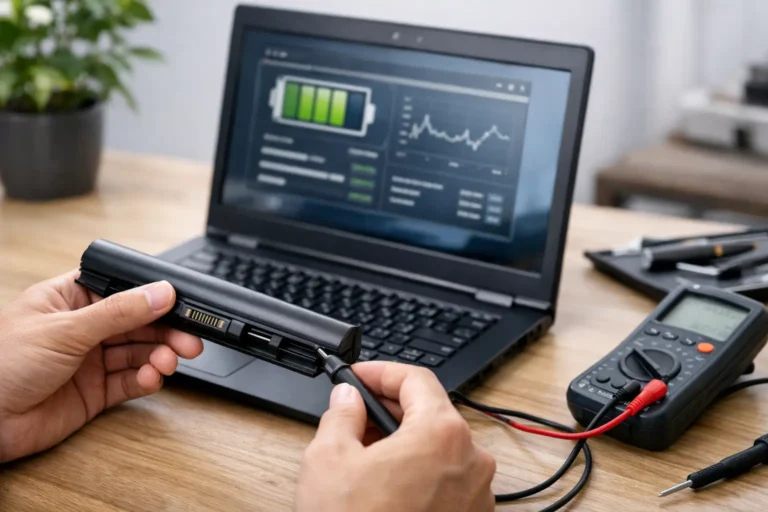
A suitable inspection process will assess identifiers and ownership status, complete data erasure, run hardware diagnostics, verify the display, keyboard, touchpad, ports, camera, speakers, microphones, wireless connectivity and charging behaviour. It should also assess storage health, memory stability, battery condition and thermal performance. For Apple Mac devices, that can include checking activation status and battery cycle information. For Chromebooks, it includes confirming that enterprise enrolment has been removed where appropriate and that the device can be provisioned for its new user.
Quality assurance should then confirm the final configuration. The operating system, drivers, storage capacity, RAM, charger type, device grade and cosmetic condition must all match the listing or deployment schedule. Where a component has been replaced, the replacement should be compatible, tested and recorded.
Some faults are intermittent. A Wi-Fi adapter may fail only after sleep mode. A charging port may become unreliable when the cable moves. A battery may appear acceptable in a short test but perform poorly during extended use. Refurbishers cannot eliminate every future failure, particularly on used enterprise hardware, but they should use test methods designed to reduce avoidable escapes.
The reseller or contracting seller
Where a reseller supplies the device to the customer, it is generally the reseller that owns the customer relationship and the first response to a reported fault. Even if another company carried out the refurbishment, the seller should not leave the customer to establish who is at fault behind the scenes.
For business customers, the contract should define acceptance periods, grading standards, dead-on-arrival handling, warranty duration, exclusions and return arrangements. For consumer sales, statutory rights apply alongside any commercial warranty. In either case, clear documentation matters more than broad claims about quality.
A seller may recover costs from its supplier if the supplier’s inspection or refurbishment failed. That is a supplier-management matter. It should not delay a practical remedy for the end customer.
The buyer’s IT team or receiving contact
The buyer is responsible for acceptance testing after delivery and before large-scale deployment. This is not about taking on the seller’s quality obligations. It is about protecting the organisation from disruption and creating a clean evidence trail.
For a batch of 50 laptops, a sensible receiving check verifies model, serial number, quantity, cosmetic grade, charger inclusion, screen condition, boot status, battery reporting, keyboard layout and basic connectivity. A sample can be subjected to deeper testing, but the right level depends on the order size, device age, intended workload and time available before rollout.
The IT team should also test organisation-specific requirements that a general refurbishment process cannot fully know. These may include compatibility with a docking station, endpoint management enrolment, accessibility tools, line-of-business applications, encrypted Wi-Fi or a particular Windows image. A laptop can be technically sound yet still unsuitable for a defined environment.
The end user
Users should report faults promptly and avoid unauthorised repairs, component swaps or software changes while an issue is being assessed. They are not expected to diagnose a motherboard-level problem, but a clear report is valuable: what happened, when it occurred, whether the device was charging, which peripheral was connected, and whether the issue can be repeated.
Damage caused after acceptance is different from a pre-existing defect. Cracked panels, liquid damage, bent connectors and missing chargers need separate assessment. The same is true of performance complaints caused by unsupported applications, insufficient specification for a new workload or poor local network conditions.
Set an acceptance standard before delivery
The fastest way to resolve snags is to define what counts as a defect before the order is fulfilled. A grade label alone is not enough. Cosmetic grading and functional quality are related but separate: a Grade B laptop may show visible signs of prior use while still being fully functional, whereas a Grade A appearance does not prove a battery will meet a particular runtime expectation.
For larger orders, agree the exact specification, accepted cosmetic tolerances, battery policy, operating system version, included accessories and timescale for reporting faults. Decide whether the supplier will repair, replace, credit or collect affected devices. Also establish whether replacements must match the same model or simply meet the agreed performance specification.
Schools, charities and public-sector teams often need consistency across a batch because shared chargers, cases, docking equipment and support documentation depend on it. A mixed batch can be excellent value, but it needs to be intentional rather than an unexpected substitution.
Evidence makes defect decisions quicker
A snag report should be brief, repeatable and tied to the individual device. Record the serial number or asset tag, delivery date, fault description, photographs where relevant, screenshots of error messages and the test already performed. For battery concerns, include the operating system battery report or diagnostic result rather than a general statement that the charge “does not last”.
This evidence helps distinguish a device fault from configuration, policy or compatibility issues. It also allows the supplier to identify patterns. If several units from the same batch show Bluetooth drop-outs, for example, the problem may relate to a driver version, a component lot or a missed test step rather than isolated user reports.
Data security needs care during returns. Remove organisational accounts, apply your usual device handover procedure and avoid sending passwords or sensitive files as diagnostic evidence. If a fault prevents sign-out or secure wiping, agree the handling route with the supplier before dispatch.
A single owner prevents operational drift
Multiple parties can contribute to a defect, but the customer should have one accountable contact. For supplied refurbished equipment, that is normally the organisation that sold or contracted to provide it. It should coordinate assessment, collection, repair or replacement and then manage any recovery with its refurbishment or logistics partners.
At Refurb X Connect, this principle supports a more usable lifecycle process: devices are assessed, restored, tested, graded and supplied with a defined route for exceptions. It reduces the uncertainty that comes from treating used IT as a collection of one-off purchases.
A refurbished device does not need to be flawless to be fit for purpose. It needs to be accurately described, professionally tested and supported by a clear decision path when something is not right. Agree that path before deployment, and snagging becomes a controlled part of IT lifecycle management rather than an interruption to it.