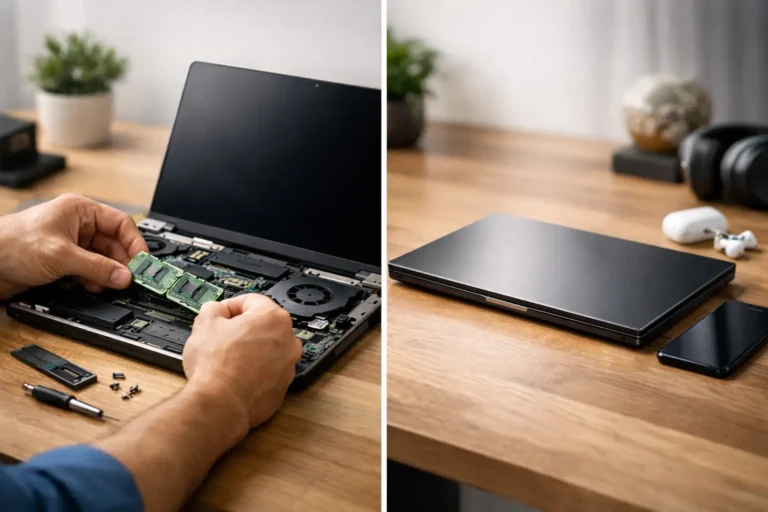
Can Refurbished Computers Be Reliable?
A low purchase price means very little if the machine fails three months later. That is usually the real question behind can refurbished computers be reliable. For most buyers, reliability is not about whether a device is technically second-hand. It is about whether it has been properly assessed, repaired where needed, tested under load, cleaned, graded honestly and supplied with clear aftercare.
That distinction matters. A used computer sold as-seen is not the same as a refurbished computer processed to a defined standard. When people have a poor experience, it is often because those two categories were treated as interchangeable.
Can refurbished computers be reliable in real use?
Yes, they can. In many cases, they are reliable enough for daily business use, education environments, remote working and general home computing. The condition of the original device matters, but the refurbishment process matters more.
A well-built ex-business laptop, for example, often starts from a better baseline than a low-cost new consumer machine. Business-grade devices are designed for heavier use, easier servicing and longer deployment cycles. If one of those units is professionally restored with proper diagnostics and part replacement, it can deliver stable performance for years.
The opposite is also true. A poor refurbishment process can turn even a strong original device into a bad purchase. If battery health is ignored, thermal issues are missed, storage is not checked properly, or cosmetic grading hides structural wear, reliability drops quickly.
So the short answer is simple. Refurbished computers can be reliable, but only when the process behind them is controlled.
What actually determines reliability
Reliability starts with device selection. Not every returned, traded-in or decommissioned computer is worth refurbishing. Some units have had hard commercial use. Some have hidden liquid damage. Some show signs of repeated repair attempts. Good refurbishment begins by filtering out stock that should not go back into circulation.
After that, diagnostics carry most of the weight. A credible process checks core hardware properly, not just whether the machine powers on. Storage health, RAM stability, thermals, keyboard function, display condition, charging behaviour, battery performance, ports, wireless connectivity and firmware status all need review. If that sounds basic, it should. The problem is that some sellers still skip large parts of it.
Parts policy matters as well. A refurbished machine fitted with low-grade replacement parts may pass an initial check and still fail early in service. Chargers, batteries, SSDs, fans and screens are common weak points if sourcing is poor. Reliability depends not just on replacing faulty components, but on replacing them with parts that match the device and intended workload.
Then there is data handling and software preparation. A computer can be mechanically sound and still create problems if it is badly configured. Secure wiping, correct operating system installation, driver validation and firmware updates all affect long-term stability. For organisations, this is not a minor detail. It affects deployment time, user experience and support overhead.
The difference between used and refurbished
This is where many buyers get caught out. Used means pre-owned. Refurbished should mean pre-owned and processed.
Processed is the key word. It implies inspection, fault identification, repair, testing and a clear statement of condition. Without that, the label is just marketing.
A reliable refurbished computer should come with enough information for the buyer to understand what has been done. That does not mean pages of sales language. It means practical clarity. What is the cosmetic grade? Has the battery been tested? Were any parts replaced? Is the device wiped and reinstalled properly? What warranty applies if a fault appears after delivery?
If those answers are vague, reliability becomes harder to trust.
Can refurbished computers be reliable for business fleets?
For business and education buyers, the question is less about one machine and more about repeatability. One good laptop is useful. Fifty consistent laptops are operationally valuable.
This is why process discipline matters even more at volume. Fleet buyers need predictable grading, standardised testing, stable imaging, clear asset records and a defined route for exceptions. If one batch arrives with mixed battery health, inconsistent chargers or undocumented cosmetic variance, the problem is no longer technical. It becomes logistical.
In that environment, refurbished devices can still be highly reliable, but only when refurbishment is treated as a managed workflow rather than ad hoc repair. That is where a connected service model has real value. The strongest outcomes usually come from a single coordinated path covering intake, diagnostics, parts, repair, data handling and redeployment.
For IT teams, that reduces friction. For schools and organisations, it improves planning. For resellers, it protects reputation.
Common failure points to watch for
Most reliability issues are predictable. Batteries are one of the biggest. A laptop may function well on mains power and still be unsuitable for mobile use if battery health is poor. Buyers should expect battery condition to be tested and stated clearly, especially on older portable devices.
Storage is another. A failing hard drive or worn SSD can create intermittent problems long before complete failure. That makes proper health checks essential. It is not enough to confirm that Windows loads and the desktop appears.
Thermals are often overlooked too. Dust build-up, ageing thermal paste or fan wear can cause heat-related shutdowns, slow performance and shorter component life. A device that looks clean externally can still have internal thermal issues.
Cosmetic damage can also signal deeper risk. Cracked casing near hinges, bent frames, swollen batteries, loose ports or pressure marks on a screen are not purely aesthetic concerns. They may indicate strain, impact or internal wear.
None of this means buyers should avoid refurbished equipment. It means they should judge refurbishment by what has been checked, not by the label alone.
How to assess a supplier properly
A reliable supplier should be able to explain their process in plain terms. Not every buyer needs a technical breakdown, but every buyer needs confidence that the basics are controlled.
Look for evidence of structured diagnostics, consistent grading and clear warranty terms. Ask whether data is securely wiped, whether batteries are tested, whether serials are tracked and whether faults are repaired or simply screened out. If you are buying at scale, ask how consistency is maintained across batches and what happens when units fall outside expected condition.
Transparency matters more than polished claims. A supplier that is precise about condition and limitations is usually safer than one that promises perfection on ageing hardware.
It is also worth considering the type of stock being refurbished. Ex-corporate and ex-education devices often make strong candidates because they were built for managed environments and are easier to service. Consumer devices can still be viable, but their repairability and long-term resilience vary more.
Where refurbished may not be the right fit
There are cases where buying refurbished is not the best route. If your workload depends on the latest processor architecture, high-end graphics performance or specialised manufacturer support terms, a new machine may be the better choice.
The same applies where battery endurance must match brand-new levels without compromise, or where identical specification across a very large rollout is essential and older stock is too inconsistent.
For some users, cosmetic condition is also a deciding factor. If visible wear is unacceptable, even on fully functional hardware, only top-grade refurbished stock or new equipment will meet the brief.
Reliability and suitability are related, but they are not the same thing. A refurbished computer can be reliable and still be the wrong tool for a specific requirement.
Why the best refurbished devices often outperform expectations
There is a practical reason refurbished computers surprise people when done properly. Many are based on higher-grade hardware than buyers could access new at the same budget. A refurbished business laptop or desktop may offer better build quality, easier servicing and stronger day-to-day stability than a brand-new budget alternative.
That does not mean refurbished always wins. It means value and reliability often sit closer together than people expect. The strongest result usually comes from matching the right device class to the right use case, then putting it through a refurbishment process that is consistent and accountable.
For buyers who want lower cost without guessing, that process is the product as much as the computer itself. That is the point where refurbishment stops being a gamble and becomes a controlled route to dependable hardware.
Refurb X Connect is built around that principle – connecting sourcing, restoration, testing and redeployment so reliability is not left to chance. Whether you are buying one machine or managing a wider refresh cycle, the better question is not whether a computer is refurbished. It is whether the work behind it was done properly.