How to Refurbish Laptops for Resale
A used laptop with a cracked hinge, tired battery and a slow boot is not worthless. It is usually just unmanaged stock. That is the difference to understand if you want to learn how to refurbish laptops for resale properly. Resale value is not created by a quick clean and a factory reset. It comes from a controlled process that turns uncertain hardware into a device someone can buy with confidence.
For individual sellers, that means fewer returns and better margins. For schools, businesses and IT teams, it means recovering value from assets that would otherwise sit in storage or go to recycling too early. The method matters because buyers are not paying only for the laptop. They are paying for condition, accuracy and reduced risk.
How to refurbish laptops for resale starts with intake
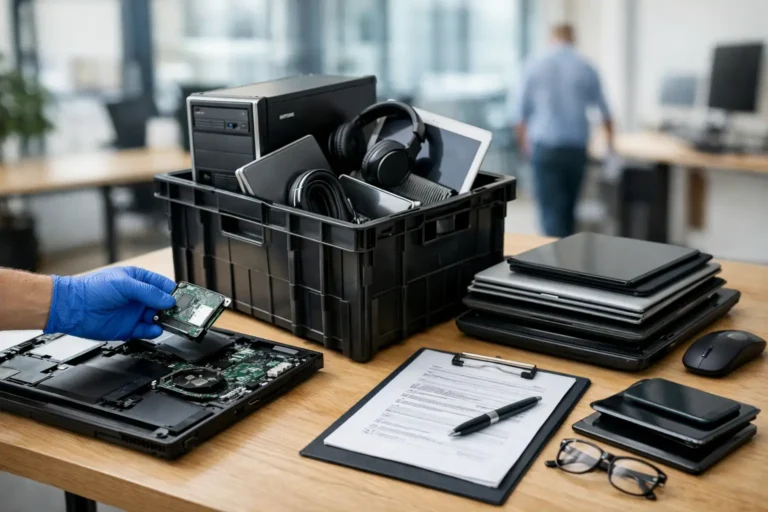
The first step is not repair. It is intake. Before you order parts or estimate resale value, record the exact model, serial number, processor, RAM, storage, screen size and charger type. Then inspect the unit for obvious faults such as damaged ports, swollen batteries, missing screws, cracked casings and pressure marks on the display.
At this stage, separate laptops into three groups: ready for light refurbishment, viable but needing parts, and uneconomical. That triage saves time. A ten-year-old budget machine with a dead motherboard may still be useful for parts, but it is unlikely to be the best candidate for resale. A newer business-grade model with cosmetic wear and a failing SSD is often a much stronger refurbishment prospect.
You also need to decide whether the laptop has a realistic route back to market. Availability of replacement batteries, keyboards and screens varies widely by model. Premium business ranges are usually easier to support than low-cost consumer units because parts are more consistent and service documentation is better.
Data handling comes before cosmetic work
If the device came from a previous owner, secure data handling is not optional. Wipe the drive using a recognised erasure method or physically replace the storage if you cannot verify the drive’s integrity. For organisational devices, maintain a clear asset trail showing collection, serial tracking and data sanitisation status.
This is one area where informal refurbishers often create risk for themselves. A laptop can look ready for sale and still be a liability if the data process is weak. For business and education estates, chain of custody matters just as much as the repair itself.
If you plan to sell at scale, standardise this stage. Every unit should have the same intake record, erasure check and outcome note. That is how you reduce disputes later.
Test first, then decide what to replace
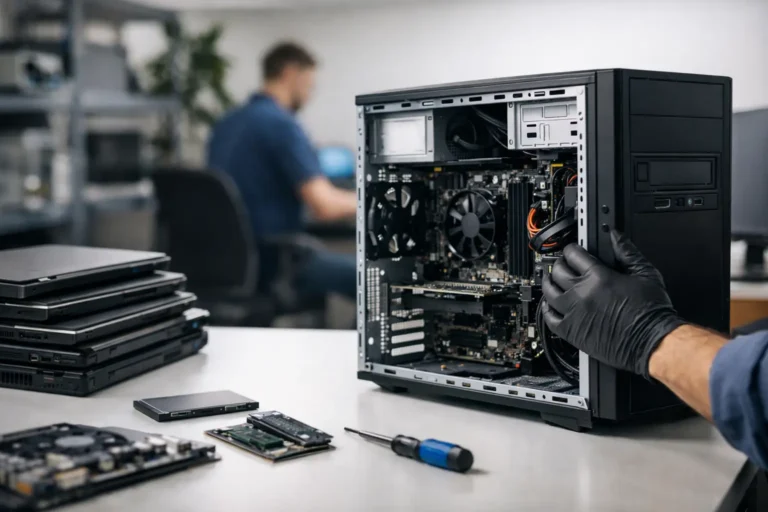
A laptop should be fully tested before any spend is committed. Boot behaviour, BIOS access, drive health, battery health, keyboard response, webcam, speakers, Wi-Fi, Bluetooth, ports and display should all be checked. Thermal performance matters too. A machine that overheats under load may need fan cleaning, repasting or a new cooling assembly.
The goal is to identify faults in the right order. Some issues are isolated. Others point to wider failure. For example, a non-working USB port may be minor, while intermittent charging could indicate board-level damage, a failing battery or a DC jack issue. If you replace parts without confirming the root cause, margin disappears quickly.
Battery condition deserves special attention. Buyers notice it immediately, and poor battery life drives complaints even when the rest of the device is sound. A replacement battery can improve resale value, but only if the laptop itself justifies the cost. On older, low-value models, it may be better to sell clearly as reduced battery health at an adjusted price.
The refurbishment work that actually adds value
The best refurbishment work is targeted. Focus on the issues that affect reliability, usability and buyer trust. Storage and memory upgrades are often worthwhile because they improve performance in a visible way. Replacing a failing hard drive with an SSD can turn an otherwise sluggish machine into a practical resale unit.
Screen replacement depends on grade and market. A bright laptop with a faint corner mark may still be saleable if described accurately. A unit with dead pixels, major scratches or pressure damage usually needs a new panel to achieve a professional resale standard. The same logic applies to keyboards, palm rests and hinges. Cosmetic defects are acceptable up to a point, but structural weakness is not.
Cleaning matters more than many sellers think. Internal dust removal improves cooling. External cleaning changes perceived value immediately. Remove stickers, clean vents, degrease the keyboard area and sanitise surfaces carefully. The aim is not to make an old device look new. It is to make it look properly processed.
Be disciplined with parts sourcing. Low-cost replacements can reduce profit if they create inconsistency or returns. For resale, fit components that match the quality level of the laptop and the expectations of the buyer.
Install software with a resale standard in mind
A refurbished laptop should leave you with a clean, activated operating system where licensing is valid and updates are complete. Install only what is necessary. Excess utilities, bundled software and trial packages reduce trust and can make the machine feel poorly prepared.
Drivers should be correct and current. Device Manager should be clean. Firmware should be updated where stable and appropriate. Then run final checks again after installation, because some hardware issues only show up once the system is fully configured.
For business resale, consistency has value. If you are preparing multiple units, build a standard deployment profile for each model range. That shortens turnaround and makes support easier if queries come back after sale.
Grading and pricing are where margin is won or lost
Refurbishing well is only half the job. You also need to grade honestly and price with discipline. Overgrading creates returns. Underpricing leaves money on the table. In practice, the market rewards laptops that are accurately described, clean, tested and ready to use.
Use a simple grading framework based on screen condition, casing wear, keyboard wear, battery health and technical function. Keep it consistent. If one Grade B unit has minor edge wear and another has a chipped corner, decide whether they really belong in the same category.
Pricing should reflect model demand, generation, specification and warranty position. A newer business laptop with an SSD, 16GB of RAM and strong battery health can support a much firmer price than a consumer unit with the same cosmetic grade. The buyer base is different. So is the expectation around lifespan and supportability.
It also helps to consider your full refurbishment cost, not just parts. Include labour time, testing, software prep, data handling, cleaning materials, packaging and any channel fees. Many refurbishers think they are making margin because the parts bill was low. Then returns, time and admin remove the profit.
How to reduce returns after resale
Most returns come from one of three problems: inaccurate description, weak testing, or unclear expectations. You can cut all three with better process. List the exact specification, note visible wear, state battery condition where known and confirm what is included, especially the charger and adapter type.
A final quality control pass is worth the time. Check charging, keyboard, Wi-Fi, webcam, sleep and wake, audio, ports and display one more time. Then package the laptop so it arrives in the same condition it left. A good refurbishment can still become a return if transit protection is poor.
Warranty is a commercial decision, but even a limited one can improve buyer confidence. It also forces process discipline, which is useful in itself.
When refurbishment is worth outsourcing
Not every seller should build the whole process in-house. If volume is growing, or if devices are coming from multiple sites, coordination becomes the real challenge. Collection, diagnostics, secure wiping, parts sourcing, grading and resale prep all need to connect. That is often where value leaks.
For businesses and organisations, a managed workflow can be more efficient than handling ad hoc repairs and disposal decisions internally. A structured partner model gives you one route from asset recovery to tested resale stock. That is the operational gap services such as Refurb X Connect are built to solve.
The practical standard to aim for
If you want to know how to refurbish laptops for resale in a way that holds up commercially, think less like a hobbyist and more like an operator. Every unit needs a clear intake record, secure data handling, fault-led repair decisions, repeatable testing, honest grading and realistic pricing. That is what turns used hardware into saleable stock.
Some laptops will never justify the work. Others will return strong value with only a battery, an SSD and proper preparation. The skill is knowing the difference early, then running the same standard every time. That is where resale becomes dependable rather than hopeful.
A good refurbishment process does not try to rescue every machine. It protects time, preserves margin and gives the next user a laptop that feels ready from day one.