When Should Businesses Replace Laptops? Key Signs
A laptop fleet rarely fails all at once. The first signs are usually quieter: support tickets rise, staff wait for applications to load, batteries no longer last a meeting, and an increasing number of devices cannot run the required operating system. Knowing when should businesses replace laptops is less about a fixed age limit and more about managing performance, security, productivity and residual value before small issues become an expensive operational problem.
For most organisations, a planned refresh is more effective than replacing devices only when they stop working. It gives IT teams time to assess what can be upgraded, what should be redeployed and what has reached the end of its useful role.
When should businesses replace laptops?
A typical business laptop can provide four to six productive years, but that range is not a rule. A well-specified enterprise Dell, HP or Lenovo model may remain suitable for longer when its battery, storage and memory can be refreshed. A lower-specification device used every day for video calls, large spreadsheets or design workloads may need replacing sooner.
The right timing depends on the work the laptop must perform. A device used for browser-based administration has different requirements from one running data analysis, creative software or virtual desktop tools. Age matters, but capability matters more.
A replacement decision is normally justified when several signals appear together. One slow machine is a support issue. A repeated pattern across a device group is a lifecycle issue.
Performance is affecting working time
Staff should not need to work around their laptops. Long boot times, regular freezing, failed updates and slow switching between everyday applications create small delays that accumulate across a team. They also encourage users to retain local files, postpone updates or use personal devices, which creates avoidable management and security risks.
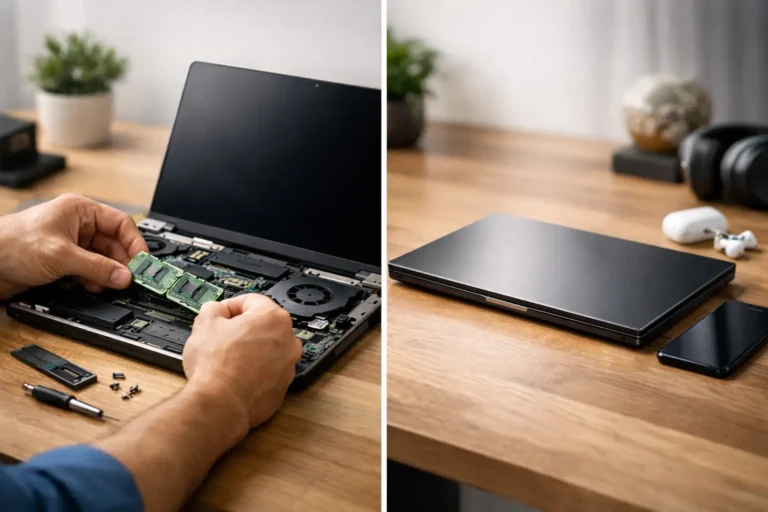
Before replacing a laptop, identify the cause. An ageing mechanical hard drive can often be replaced with an SSD, restoring a substantial amount of responsiveness. Insufficient memory may be upgradeable on some business models. Removing unused software and applying a clean Windows installation can also help.
However, upgrades have limits. If the processor cannot support current software comfortably, the device overheats under ordinary workloads, or several components are beginning to fail, further spend can be poor value. Replacement becomes the more predictable option.
Operating system support has changed
Software support dates often force a refresh decision. Windows 10 support ended on 14 October 2025. Organisations still using devices that cannot run Windows 11 need a clear plan, whether that means replacing the hardware, using a supported alternative operating system where appropriate, or applying a tightly managed exception for a short period.
Not every older laptop is excluded from Windows 11. Many business-grade machines from recent generations meet the processor, TPM and Secure Boot requirements. Checking eligibility device by device prevents an unnecessary blanket replacement programme.
Apple fleets need the same review. Older Intel-based Macs may still operate well for suitable tasks, but macOS compatibility and support windows should be assessed before committing to further use. For ChromeOS devices, the Automatic Update Expiration date is equally relevant. A Chromebook may be physically sound while no longer receiving updates, which changes its risk profile quickly in an education or managed workplace setting.
Battery decline is disrupting mobility
A laptop that works only when connected to mains power is no longer fulfilling its purpose for hybrid staff, field teams or classrooms. Battery wear is expected, but it should be measured rather than judged by anecdote. Battery health reporting, charge-cycle information and real-world runtime provide a useful basis for action.
A replacement battery can be sensible where the laptop remains secure, supported and suitably fast. It is often a lower-cost way to extend the life of a good enterprise device. If battery failure sits alongside poor performance, cracked hinges, unreliable charging or support limitations, replacing the whole unit is usually more practical.
Repair rates and support demand are rising
Repair is not a failure of a lifecycle plan. Replacing keyboards, screens, SSDs, batteries and power components can keep quality business hardware in service and reduce e-waste. The decision changes when repairs become frequent, parts are difficult to source, or downtime affects the person using the device.
Track repair costs per asset, not just individual invoices. A laptop that needs one economical repair may have years left. A unit with repeated faults, damaged chassis components and declining battery health is consuming budget and IT time that could be used more effectively elsewhere.
It is also worth considering consistency. A fleet made up of many generations, charger types and specifications adds friction for support, imaging, accessory purchasing and spares. Standardising around a smaller number of models can reduce that overhead without requiring every laptop to be new.
Security and data protection require action
Older devices can create exposure if they no longer receive operating system, browser or endpoint security updates. Missing firmware updates, unsupported encryption features and unreliable hardware also deserve attention. These are not issues to defer simply because a laptop still turns on.
Replacement must include a secure exit process. Devices should be recorded against their assigned user or asset record, securely data-erased using an appropriate verified process, then assessed for reuse, resale, parts recovery or responsible recycling. Storage removal alone is not a complete data management process, particularly where devices have contained personal, financial, customer or sensitive organisational information.
A documented IT asset disposition process protects data while preserving value. Working devices can often be refurbished and redeployed internally, supplied to another organisation or sold through an appropriate channel. That is materially better than treating all outgoing hardware as waste.
A refresh does not always mean buying new
The most efficient replacement programme is often a mixed fleet strategy. Staff with demanding workloads may need newer specifications, while administrative, education and frontline roles may be well served by professionally refurbished enterprise laptops. A graded, tested device with an SSD, suitable memory, a verified battery condition and a correctly configured Windows installation can provide dependable service at a lower acquisition cost.
Refurbished laptops also make phased refreshes realistic. Rather than keeping weak machines in use until a large capital purchase is approved, organisations can replace the highest-risk devices first. This limits disruption and allows procurement to match actual requirements.
The trade-off is specification control. Buyers should define minimum processor generation, memory, storage, screen size, ports, webcam requirements, operating system compatibility, warranty cover and acceptable cosmetic grade. A low purchase price is not useful if the laptop will need replacing again within a year.
For managed fleets, consistency still matters. Selecting a small set of compatible refurbished models can simplify deployment, dock compatibility, driver management and spares holdings. Refurb X Connect supports this type of lifecycle approach through tested business IT hardware and structured refurbishment services.
Plan replacement around roles, not calendar dates
A three-year refresh cycle may suit an organisation with intensive workloads and high mobility demands. A five-year cycle may be entirely reasonable for well-maintained laptops used for standard office applications. The stronger approach is to segment the fleet by role, condition and risk.
Start with an asset register that records model, serial number, purchase or deployment date, processor, memory, storage, battery health, operating system status, repair history and assigned user. This creates a practical view of which devices are safe to retain, which can be upgraded and which need replacement.
Then establish a replacement threshold. For example, a laptop may move to replacement when it cannot run a supported operating system, fails performance testing for its assigned role, has poor battery health and requires a high-cost repair. Clear criteria prevent decisions being driven only by the loudest support request.
Keep value moving through the fleet
The best time to replace a laptop is usually before it becomes unreliable, unsupported or uneconomical to repair. That protects users from avoidable disruption and gives the organisation more options for redeployment or resale.
Treat each outgoing device as an asset with a next step, not simply old equipment. With accurate records, secure erasure and a realistic assessment of condition, a laptop refresh can improve daily work while keeping useful technology in circulation for longer.