How to Wipe iPhones Before Trade In
Handing over an iPhone without wiping it properly is a small mistake with expensive consequences. Messages, photos, passwords, payment data and company accounts can all remain accessible if the reset is rushed or incomplete. If you are checking how to wipe iPhones before trade in, the aim is simple: remove your data fully, keep the handset eligible for resale, and avoid activation issues for the next user.
For single devices, that is usually a ten-minute job. For business fleets, it needs a controlled process. The steps are similar in both cases, but the risk is very different if even one handset leaves your organisation still tied to an Apple ID or mobile device management profile.
Before you wipe iPhones before trade in
A factory reset should never be the first thing you do. Start by deciding whether the device needs to preserve anything before it is cleared. That means checking for photos, WhatsApp history, notes, contacts, authenticator apps, and any files stored only on the handset.
If the iPhone is replacing an existing user device, transferring data to the new handset first is often the cleanest option. If the phone belongs to a business, confirm whether data retention rules apply before anything is deleted. In some environments, wiping a device too early can create a compliance problem rather than solve one.
Battery condition and general functionality also matter at this stage. A trade-in partner may still accept a damaged phone, but if you can show the device powers on, holds charge and responds correctly, the assessment is usually faster. It is also easier to confirm that Find My iPhone has been switched off before the handset goes into recovery stock.
Back up what you need
Once an iPhone is wiped, recovery is not guaranteed. Back up first if there is any chance the data may be needed later.
Most users will use iCloud or an encrypted backup to a Mac or PC. The better option depends on what needs to be retained. iCloud is straightforward, but local encrypted backups can preserve more account and health data. For business-owned devices, backup may not be needed at all if the handset is being retired rather than replaced. That decision should be made deliberately, not by habit.
This is also the point to sign out of apps that use two-factor authentication. Banking apps, password managers and verification tools can create delays later if access is tied to the old handset. Wiping the phone without checking those dependencies is a common avoidable error.
Turn off Find My and sign out of Apple ID
This is the step that causes the most problems in trade-in workflows. If Find My remains active, Activation Lock stays in place. That means the next owner, refurbisher or trade-in provider cannot set up the iPhone, even after the device has been erased.
Go into Settings, tap your name, then Find My, and switch off Find My iPhone. You will need the Apple ID password to confirm it. After that, return to the main Apple ID screen and sign out.
When you sign out, the phone will ask whether you want to keep a copy of certain data on the device. If the handset is being traded in, there is rarely a reason to keep anything locally. The goal is a clean removal.
If you no longer have the phone in hand, you can remove it from your Apple account remotely, but that is less reliable as a last-minute fix. It is better to complete sign-out on the device itself while you can still verify everything directly.
Unpair connected devices and remove eSIM if needed
Before the reset, check whether the iPhone is linked to an Apple Watch. If it is, unpair the watch properly. That process creates a backup of the watch and removes Activation Lock. If you skip it and only wipe the iPhone, the watch can remain awkwardly tied to the old setup.
It is also worth checking the mobile setup. Physical SIM cards should be removed before handover. If the handset uses eSIM, confirm whether the plan needs to be deleted from the phone or transferred to a replacement device first. The exact process depends on the carrier, so this is one of those areas where it depends on how the phone was provisioned.
For managed corporate devices, review whether any MDM enrolment or enterprise profile remains active. A factory reset does not always remove underlying ownership controls in Apple Business Manager or related systems. If the handset is enrolled at organisation level, release it properly before resale or redeployment.
How to wipe iPhones before trade in correctly
Once the backup is complete and Apple services are disconnected, the actual wipe is straightforward. Open Settings, then General, then Transfer or Reset iPhone. Choose Erase All Content and Settings.
The iPhone will usually present a final review screen showing what will be removed, including Apple ID, wallet items and eSIM information where relevant. Read that screen rather than tapping through it. If something still appears attached that should already have been removed, stop there and fix it first.
When you confirm the erase, the handset will restart and begin clearing data. On newer devices this process is relatively quick. Leave the phone connected to power if the battery is low.
When it finishes, the iPhone should return to the Hello setup screen. That is the visible sign the user data has been erased. For trade-in purposes, do not continue into setup again. A phone sitting on the Hello screen is usually exactly what the receiving party wants to see.
Check that the wipe has actually worked
A reset is only complete when the device is both erased and detached from the previous owner. Those are related, but not identical.
Power the handset back on and confirm it opens at the Hello screen. If it jumps straight into an existing account, the reset did not complete correctly. If it asks for the previous owner’s Apple ID during setup, Activation Lock is still active.
For business volumes, this is why spot-checking is not enough. Devices should be logged against serial number or IMEI, with wipe status verified before collection or resale. One missed handset in a batch can hold up a whole lot if the buyer receives stock that cannot be provisioned.
A quick cosmetic clean is also worth doing at this point. Remove fingerprints, take out the SIM tray if needed, and pack any chargers or accessories only if they are part of the agreed trade-in. Presentation does not fix technical issues, but it can reduce avoidable grading disputes.
Common mistakes that reduce trade-in value
Most trade-in delays come from process gaps rather than serious hardware faults. Leaving Find My switched on is the main one. The next is forgetting to back up important data before erasing the handset. After that, it is usually account-related problems such as unmanaged eSIMs, paired wearables, or devices still assigned inside an organisation’s enrolment platform.
Condition reporting also matters. If a phone has a cracked rear glass panel, weak battery or camera fault, disclose it accurately. A proper wipe protects data, but it does not guarantee the highest valuation. Trade-in pricing still depends on model, age, network status and physical condition.
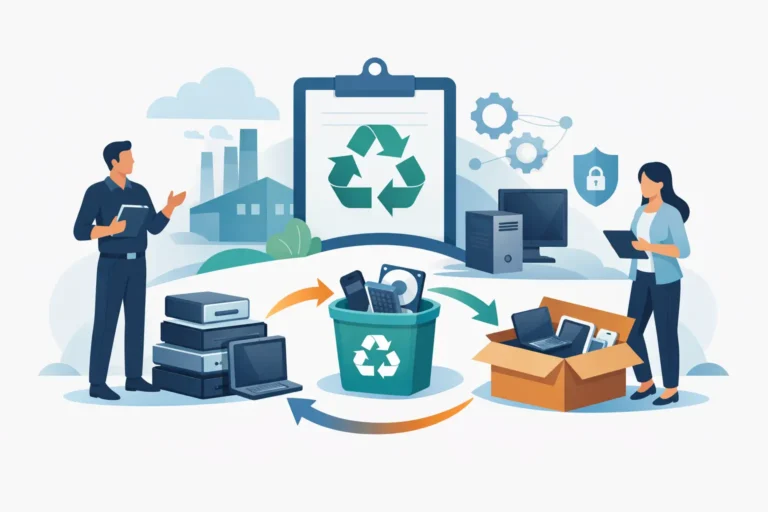
For organisations, another mistake is treating device wiping as an end-of-project admin task. It works better as part of a managed lifecycle process, where collection, audit, data handling, refurbishment and redeployment sit in one controlled chain. That is usually where delays, missing devices and value leakage are reduced.
When a simple factory reset is not enough
For many personal iPhones, a standard erase through Settings is the right method. For business devices, education estates and recovery batches, a simple reset may not be enough on its own. You may need documented asset tracking, proof of sanitisation, account release checks, and clear separation between user-owned and company-owned data.
This matters most when multiple users, shared handsets or regulated data are involved. The phone itself may be easy to erase. The harder part is proving it was done properly and making sure the device is commercially ready for the next stage.
That is where a structured device handling process earns its place. Refurb X Connect typically sees more friction in poorly managed sign-out and ownership release than in the wipe itself. The erase takes minutes. The operational clean-up takes longer if it is left until collection day.
If you are trading in one iPhone, take the extra few minutes to check the account side properly. If you are managing twenty or two hundred, build the wipe into a repeatable process before the upgrade window opens. A clean handset is only useful when it is also ready for the next user.