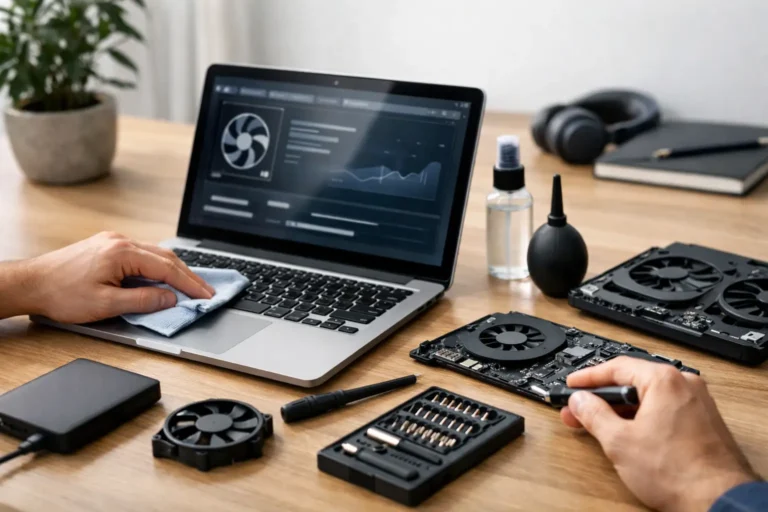
Before and After Laptop Restoration
A laptop arrives with the usual story written all over it. The lid is marked, the keyboard is shiny with wear, the battery barely holds charge, and startup feels slow enough to disrupt a working day. That is where before and after laptop restoration becomes useful – not as a cosmetic comparison, but as a clear measure of what can be recovered, improved and returned to service.
For buyers, IT teams and organisations managing multiple devices, the real question is not whether a machine looks better afterwards. It is whether restoration changes function, lifespan and value enough to justify the process. In many cases, it does. In others, it does not. The difference comes down to the condition of the device, the standard of the work, and whether the restoration is handled as a joined-up process rather than a one-off repair.
What changes in before and after laptop restoration
A proper restoration should be visible in two ways. First, the laptop should present better. Second, and more important, it should operate to a defined standard. A cleaned chassis and replaced palm rest may improve first impression, but those gains are limited if the machine still overheats, crashes under load or fails battery checks.
The “before” state often includes several overlapping faults rather than one obvious issue. A device may have reduced battery health, dust-heavy cooling, degraded thermal paste, damaged ports, missing feet, minor screen blemishes and a drive cluttered with old data or poor software setup. None of these problems alone makes the laptop unusable. Together, they reduce confidence and shorten remaining life.
The “after” state should show controlled improvement across the full device. That usually means external cleaning, component testing, targeted part replacement, secure data handling, operating system preparation and final quality control. On fleet devices, consistency matters as much as the result on any single unit.
Performance is usually the biggest difference
The most noticeable change after restoration is often speed. Not because the laptop becomes new again, but because common points of drag are removed. Storage upgrades, memory expansion, thermal servicing and clean system installs can transform day-to-day use.
An older business laptop with a mechanical hard drive may feel unworkable by current standards. Replace that drive with solid-state storage, remove software bloat, test RAM integrity and restore cooling performance, and the same machine may become entirely suitable for office tasks, classroom use or remote work. The hardware has not changed category, but it has become fit for purpose again.
That said, restoration has limits. A low-spec processor from several generations ago will still be a low-spec processor. If the intended workload includes CAD, video production or modern gaming, restoration alone will not bridge that gap. The value comes from matching the restored device to the right use case.
Cosmetic improvement matters, but only up to a point
In before and after laptop restoration, visual condition affects resale value and user acceptance more than many people expect. A device that performs well but looks neglected can still be difficult to redeploy. Staff and buyers often read cosmetic wear as a sign of technical unreliability, even when that is not strictly true.
Restoration usually addresses grime build-up, adhesive residue, light scuffs, worn keyboards, missing screws, damaged bezels and casing parts where replacement is economical. The result is a cleaner, more professional device that is easier to issue internally or sell on.
Not every mark should be chased. Deep dents, pressure damage in metal panels and certain screen defects can be expensive to correct relative to the value recovered. For volume refurbishment, the sensible standard is not perfection. It is a graded finish that aligns with budget, intended user and resale channel.
Battery health often defines the real outcome
One of the biggest gaps between before and after is battery performance. Many used laptops still function when plugged in, but portability becomes theoretical if the battery drains in under an hour or reports service warnings.
Battery replacement can materially change the usefulness of a device, especially for schools, field teams and hybrid workers. It also changes how the user experiences the machine. A restored laptop that lasts through meetings or lessons feels dependable in a way a mains-bound unit never will.
There is a trade-off, though. Battery replacement is not always the best spend on a low-value or heavily aged device. In some cases, it makes more sense to restore for fixed-location use and disclose that clearly. Good restoration is not about replacing everything possible. It is about investing where the return is practical.
Reliability is the part buyers do not see
The strongest restoration work is often invisible. Internal cleaning, fan testing, hinge reinforcement, DC jack repair, board-level inspection and thermal management do not make for dramatic before-and-after photos, but they matter more over six months than a polished lid ever will.
This is where process separates professional refurbishment from casual repair. A laptop can be made to power on and still be a poor candidate for reuse if it has unstable charging, intermittent Wi-Fi, overheating under load or hidden storage faults. The after state needs validation, not assumption.
For business and education customers, this matters because failure rates create follow-on cost. One unreliable device does not stay one problem. It becomes user downtime, support tickets, replacement handling and avoidable admin. Restoration should reduce friction, not postpone it.
Data handling is part of the before and after picture
A restored laptop is not just physically repaired. It also moves from one data state to another. Before restoration, devices may still contain business files, user accounts, cached credentials and legacy software. After restoration, they should be clean, secure and prepared for the next owner or user.
This step is easy to understate, but it is central to professional refurbishment. Secure erasure, documented handling and consistent rebuild processes are part of the value. Without them, a visually improved laptop may still be a liability.
For organisations refreshing fleets, this is one reason a connected refurbishment process works better than piecing together separate repair, wipe and resale services. Refurb X Connect is built around that joined-up model because the handoffs are often where delays, risk and cost accumulate.
When restoration makes sense – and when it does not
Laptop restoration makes the most sense when the base hardware is still relevant, replacement cost is meaningfully higher than restoration cost, and the device can meet a clear use case after work is completed. Business-grade laptops are often strong candidates because they were built for serviceability and longevity in the first place.
It makes less sense when key components are failing at once, parts are scarce, or the expected post-restoration value is too low to support the labour involved. Water damage is a good example. Some units can be recovered. Many become poor bets once corrosion spreads beyond one obvious fault.
Age also matters, but not in a simple way. A six-year-old premium laptop may justify restoration more readily than a three-year-old entry-level unit, depending on build quality and specification. The decision should come from testing and economics, not assumptions.
What a credible restoration outcome looks like
A useful after state is not vague. It should be measurable. The laptop should boot cleanly, charge correctly, pass stress and component checks, maintain safe temperatures, present to a declared cosmetic grade and be ready for immediate deployment.
That standard is especially important when dealing with batches rather than single units. If ten restored laptops all perform slightly differently, the process has not fully done its job. Consistency is what allows redeployment at scale.
This is also why before-and-after claims need context. A dramatic visual change can be genuine and still say very little about underlying quality. The better question is whether the restoration produced a stable, supportable device with known condition and clear residual life.
The value is not just in the laptop
Before and after laptop restoration is really about what happens around the device. A restored machine can extend fleet life, reduce capital spend, support sustainability targets and recover value from equipment that might otherwise sit in storage or leave the business through the wrong channel.
For individual buyers, the benefit is straightforward: lower cost for a machine that has been properly brought back into service. For organisations, the benefit is operational. Less waste. Less fragmentation. Fewer disconnected suppliers. More control over what happens between collection, repair, testing and redeployment.
That is why the before and after matters. It gives a visible way to assess a process that should ultimately be judged on reliability, readiness and return. If the result is a laptop that works as expected, lasts longer and fits the next use without added friction, restoration has done its job.
A good restoration should leave you with fewer questions than you started with – and a device that is ready to work, not just ready to photograph.