What Is Device Redeployment in Business IT?
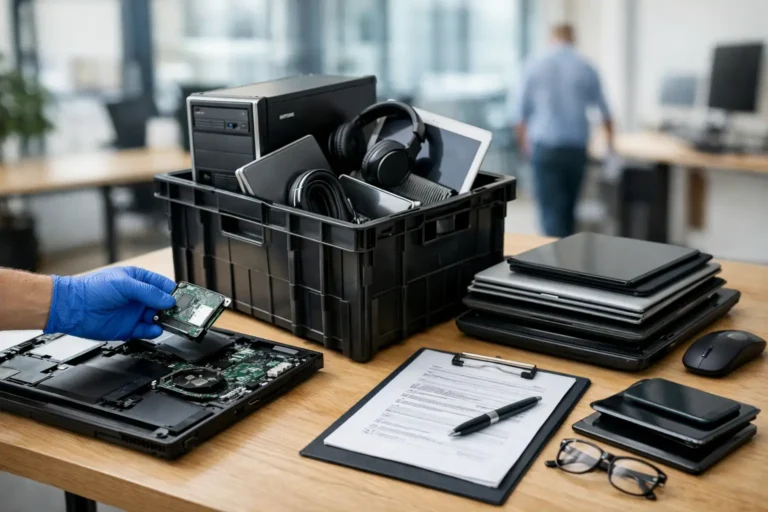
A three-year-old business laptop is not automatically ready for resale, recycling or storage. It may still be the right device for a new starter, a temporary project team or a pupil who needs reliable access to learning software. So, what is device redeployment? It is the controlled process of recovering an organisation’s existing IT equipment, preparing it for its next user and issuing it again within the organisation.
Redeployment sits between day-to-day IT support and final IT asset disposition. Done well, it extends the useful life of laptops, desktops, tablets and monitors while reducing unnecessary procurement. Done poorly, it can create data exposure, inconsistent user experience and an asset register that no longer reflects reality.
What Is Device Redeployment?
Device redeployment is the secure reassignment of used IT hardware to another employee, department, site or user group. Before the device is reissued, it is assessed, data is removed through a verified process, components are tested and replaced where required, and the operating system is installed or reset to the organisation’s standard configuration.
A typical example is a laptop returned by a leaver. Rather than placing it in a cupboard or immediately replacing it, the IT team checks its age, specification, condition, battery health and compatibility with current software. If it meets the required standard, the device can be refurbished and allocated to another user.
This is not simply passing on a wiped machine. Proper redeployment is a lifecycle process with clear controls. The device must be suitable for its next role, secure to use and recorded accurately from collection to reissue.
Why Organisations Redeploy Devices
The most immediate benefit is cost control. Reusing an existing laptop can avoid or defer the purchase of a new one, particularly for roles with standard productivity requirements. A well-maintained enterprise laptop may remain suitable for email, web-based systems, Microsoft 365, video calls and line-of-business applications long after its original user has moved on.
Redeployment also improves availability. Hardware lead times, approval cycles and budget windows can delay new purchases. A pool of prepared, tested devices gives IT teams a practical way to equip new starters, contractors and remote workers quickly.
There is an environmental case too. Extending the life of business IT reduces demand for newly manufactured devices and keeps functional equipment in use for longer. This supports a more circular approach to technology, helping organisations reduce avoidable e-waste without lowering operational standards.
The value varies by fleet. A school may redeploy devices into lower year groups or library loan pools. A business may reserve refurbished laptops for hybrid workers, temporary staff or training suites. A public sector organisation may use redeployment to maintain service continuity while a wider refresh programme is underway.
The Device Redeployment Process
A reliable process begins before a device reaches the bench. IT teams need a clear route for collecting equipment from leavers, office moves, refresh projects and remote staff. Each item should be identified by serial number or asset tag and matched to the asset register.
1. Assess the device and its next use
The first question is not whether a device powers on. It is whether it is fit for a defined role. Age, processor generation, RAM, storage capacity, screen condition, ports, keyboard wear and battery performance all matter.
A laptop that is no longer appropriate for an intensive user may still be ideal for administration, education or a browser-led workflow. Conversely, a device with an ageing battery or unsupported operating system may cost more to manage than it saves. Redeployment decisions should be based on total suitability, not just whether the hardware can be repaired.
2. Remove data securely
Data security is the non-negotiable stage. Devices can contain employee information, customer records, saved credentials, browser data and locally stored documents. A simple factory reset or deletion of user folders is not sufficient evidence that data has been removed.
The required method depends on the device type, storage media and organisational policy. For modern SSDs, a verified secure erase process may be used where appropriate. Failed or inaccessible drives may need to be removed and handled separately. A documented erasure record gives the organisation an auditable chain of evidence, which is particularly relevant for regulated sectors and equipment that may later leave the organisation.
3. Refurbish and test
Once the data stage is complete, the device is cleaned, inspected and tested. Diagnostics should cover core functions such as storage, memory, display, webcam, speakers, microphones, Wi-Fi, Bluetooth, charging, ports and keyboard input. Battery health testing is especially relevant for mobile devices, where a weak battery can turn an otherwise capable laptop into a poor user experience.
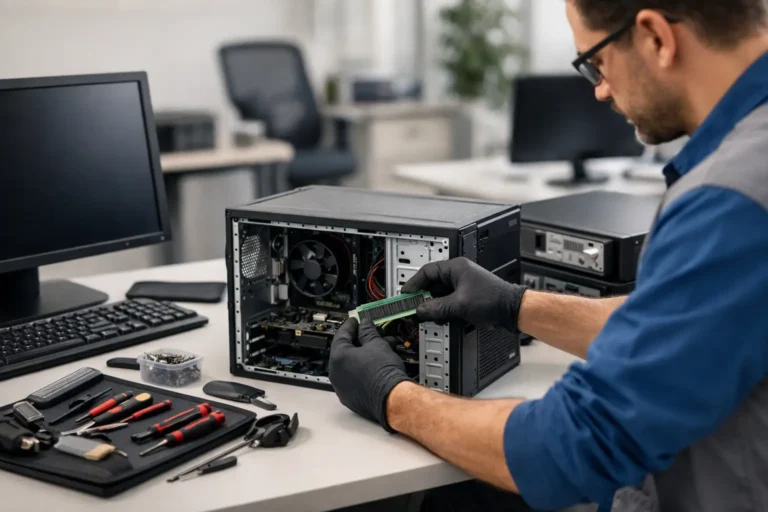
Common remedial work includes fitting an SSD, increasing RAM, replacing a battery, keyboard or charger, and resolving cosmetic issues that affect usability. The right level of refurbishment depends on the device’s next assignment and the standard the organisation expects.
4. Configure for the next user
A redeployed device should arrive ready for work, not as an IT task passed to the recipient. This normally means installing a supported version of Windows, macOS or ChromeOS where applicable, applying updates, configuring security controls and enrolling the device in the organisation’s management platform.
For Windows fleets, that may include endpoint management, encryption, antivirus, approved applications and user policies. For Apple Mac devices, it may involve management enrolment and account controls. Chromebooks require their own management and enrolment checks. The goal is consistency: the redeployed device should behave like any other managed endpoint.
5. Update records and reissue
The asset record should show that the device has changed status, been processed and been assigned to its new user. Record the serial number, configuration, accessories, condition, date of issue and relevant data-erasure evidence. This prevents duplicate purchasing, supports future recovery and makes later audit work far easier.
What Makes a Device Suitable for Redeployment?
Not every device should remain in service. The best candidates are business-grade models with serviceable parts, current operating system support and specifications aligned to their next role. Lenovo ThinkPad, Dell Latitude and HP EliteBook ranges are common examples because they are designed for business fleets and often support practical upgrades.
A suitable device should meet four tests: it must be secure, reliable, usable and economical. Security means supported software and a controlled data-erasure process. Reliability means the hardware has passed diagnostics. Usability includes battery performance, screen quality and sufficient speed for real work. Economy considers the cost of parts and labour against the cost of replacement.
There are trade-offs. Upgrading memory and storage can make a device viable for several more years. Replacing multiple high-value parts on an older model may not be sensible, especially if it will soon fall outside operating system support. Organisations need a clear threshold for repair, redeployment, resale and recycling.
Redeployment, Refurbishment and ITAD
These terms overlap but describe different points in the lifecycle. Redeployment means issuing a device again internally. Refurbishment is the technical work that restores or improves its condition. IT asset disposition, often shortened to ITAD, is the controlled route for devices that are leaving the organisation through resale, recycling or secure disposal.
A mature lifecycle programme uses all three. Devices are redeployed where they remain fit for purpose. Those with market value but no internal role may be prepared for resale. Equipment that cannot be reused is processed responsibly, with data security maintained throughout.
This approach avoids two common failures: keeping obsolete equipment in storage because no decision has been made, or disposing of usable hardware before its value has been assessed.
Creating a Redeployment Standard
The strongest programmes do not make a fresh judgement on every returned device. They set standards in advance. For example, an organisation might define minimum RAM, storage, battery health and processor requirements for each user group. It can also define which models are retained, which are upgraded and which are routed to resale or recycling.
A standardised process makes forecasting easier. IT teams can see how many devices are likely to return from a refresh, how many are suitable for redeployment and what refurbishment work is needed. It also creates a consistent experience for users, who should not receive devices with noticeably different performance or condition without a reason.
For organisations without in-house capacity, a specialist refurbishment partner can process returned equipment, provide data-erasure evidence, carry out diagnostics and return devices configured for the next stage of their lifecycle. Refurb X Connect supports this type of practical, controlled route for business IT hardware.
Device redeployment works best when it is planned as part of procurement, not treated as an afterthought when equipment comes back. Start with the next user and the required standard, then decide whether the device earns another deployment.