7 Best Refurbished ThinkPad Models for UK Buyers
A £300 refurbished ThinkPad can be a better work machine than a new budget laptop at the same price – but only if the model, processor generation and condition match the job. The best refurbished ThinkPad models are not always the newest ones. They are the machines with the right balance of performance, repairability, ports, battery condition and support life.
For UK businesses, schools and individual buyers, ThinkPads remain a practical choice because they were designed for managed fleets. They commonly offer replaceable components, strong keyboards, useful connectivity and predictable Windows deployment. Refurbishment extends that value further, provided the device has been professionally tested, securely erased and accurately graded.
What makes a refurbished ThinkPad worth buying?
ThinkPad names can be confusing. The T Series is the established business range, generally offering the best all-round mix of durability, performance and connectivity. The X1 Carbon is thinner and lighter, suited to frequent travel. L Series models are more cost-focused and often work well for larger rollouts. P Series mobile workstations are intended for demanding technical software.
Processor generation matters more than the badge alone. For a Windows 11 deployment, an Intel 8th Generation Core processor or newer is normally the sensible baseline. Earlier machines can still suit Linux, ChromeOS Flex or tightly controlled legacy use, but they require more care before purchase.
Condition also matters. A refurbished laptop should be assessed beyond cosmetics. Check the battery health, screen condition, keyboard layout, webcam, USB ports, charging function, wireless connectivity and storage health. For fleet purchases, consistency across the batch can be more valuable than adding a small amount of performance per device.
Best refurbished ThinkPad models for most users
Lenovo ThinkPad T14 Gen 1 and Gen 2
The ThinkPad T14 is the most straightforward recommendation for modern office work. Gen 1 models are available with Intel 10th Generation or AMD Ryzen 4000 processors, while Gen 2 adds Intel 11th Generation and AMD Ryzen 5000 options. The AMD versions are particularly strong value for multitasking, browser-heavy work and everyday Microsoft 365 use.
A T14 with 16GB of RAM and a 256GB or 512GB SSD is a sensible specification for most users. It handles video calls, spreadsheets, cloud applications and dual-monitor desk setups without difficulty. It also remains portable enough for hybrid working.
There are trade-offs. Memory configuration varies by model, and some RAM is soldered to the motherboard. Check the exact configuration before assuming it can be upgraded later. Intel versions may be preferable where Thunderbolt docking is a firm requirement; AMD versions usually offer better processor value at a comparable price.
Lenovo ThinkPad T480
The T480 is one of the strongest-value refurbished business laptops available. Its Intel 8th Generation processors support Windows 11, and the chassis offers a useful selection of ports, including USB-C, USB-A, HDMI and Ethernet through an adapter arrangement. It is a practical machine for administration, study, frontline office teams and home working.
Its key advantage is serviceability. Many configurations support RAM and SSD upgrades, making the T480 suitable for organisations that want to extend device life rather than replace laptops at the first sign of changing requirements. It also uses Lenovo’s Power Bridge battery approach on many configurations, combining internal and removable batteries.
The model is older than a T14, so buyers should be realistic about battery life and screen quality. Lower-spec displays exist, and battery wear will vary between units. Thunderbolt firmware should also be checked and updated as part of a proper refurbishment process. A well-prepared T480 remains highly capable, but it should be bought on verified condition rather than reputation alone.
Lenovo ThinkPad X1 Carbon Gen 7 and Gen 8
For buyers who need a lighter laptop without moving away from business-grade hardware, the X1 Carbon is a strong option. Gen 7 and Gen 8 machines typically use Intel 8th or 10th Generation processors, have 14-inch displays and weigh substantially less than the T Series alternatives.
They suit consultants, managers, university users and staff who carry a laptop between meetings. The keyboard remains one of the better options in this size and weight class, while USB-C and Thunderbolt support makes desk docking straightforward.
The compromise is upgradeability. RAM is soldered, so 16GB is the safer choice for longer-term use. Repairs can also be more involved than on a T480 or L14. An X1 Carbon is best selected for mobility and presentation, not as the cheapest way to supply a large standardised fleet.
Lenovo ThinkPad L14 Gen 1 and Gen 2
The L14 is often overlooked, which is exactly why it can make sense for cost-controlled procurement. It is less premium than the T Series but remains a business-class laptop with practical ports, a conventional form factor and good potential for memory and storage upgrades.
For schools, charities and organisations replacing older laptops in volume, an L14 can deliver the capability needed for Office applications, web platforms, remote learning and administrative systems at a lower cost per seat. Configurations with AMD Ryzen processors are worth prioritising where available.
Expect more plastic in the chassis and a less refined display or trackpad than an equivalent T14. That does not make it unsuitable. It simply means the L14 works best where functional performance, easy maintenance and budget discipline matter more than premium materials.
Lenovo ThinkPad P52 and P53
A refurbished ThinkPad P52 or P53 is for users whose work genuinely needs workstation-class hardware. These machines can be configured with higher-core-count Intel processors, dedicated NVIDIA graphics, larger memory capacities and multiple storage drives. They are suitable for CAD work, engineering applications, creative production, local virtual machines and data-heavy workloads.
They are not the right answer for standard office users. They are heavier, use more power and cost more to ship and maintain than a T Series laptop. For the right role, though, a refurbished mobile workstation can avoid the cost of buying new specialist equipment while providing substantially more capability than a slim business laptop.
Choosing the right specification
Model choice is only half the decision. For standard productivity work, specify at least an Intel Core i5 or AMD Ryzen 5, 16GB RAM and a 256GB SSD. An 8GB configuration can still work for basic tasks, but 16GB gives more headroom for Teams calls, browser tabs and modern Windows workloads.
Screen resolution deserves attention. A Full HD display is generally the practical minimum for sustained work. Higher-resolution panels can look excellent, especially on an X1 Carbon, but they may reduce battery runtime and add little value for a shared office device.
For managed procurement, standardise wherever possible. A batch of matching T14 laptops is easier to image, support, dock and redeploy than a mixed selection of models. If stock availability requires a mixed fleet, standardising on Windows version, RAM capacity, storage size and charger type can still reduce support overhead.
What professional refurbishment should include
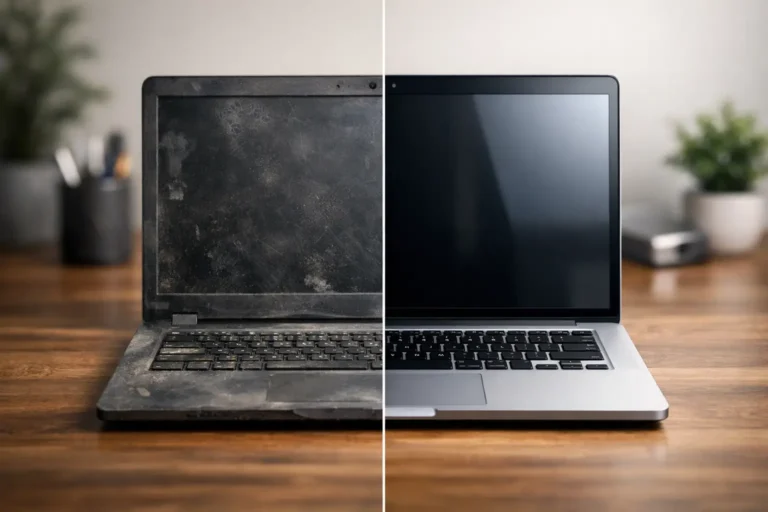
A refurbished ThinkPad should be more than a wiped used laptop. The process should include secure data erasure, diagnostics, SSD health checks, battery assessment, replacement of faulty components, cleaning, operating system installation and functional testing. Cosmetic grading should be clearly separated from technical condition. A Grade B lid may have visible marks while the keyboard, ports and internal hardware remain fully functional.
Ask about warranty terms and what is covered. Battery performance is especially worth clarifying because batteries are consumable components. For business buyers, serial-number records, consistent asset tagging and documented device specifications also make redeployment easier at the next refresh cycle.
Refurb X Connect approaches ThinkPads as reusable business assets, not disposable consumer electronics. That distinction matters when devices need to fit an existing Windows environment, meet a deployment date and remain supportable after handover.
A practical buying decision
Choose a T14 Gen 1 or Gen 2 for the strongest all-round modern option. Choose a T480 when serviceability and value are the priority. Choose an X1 Carbon Gen 7 or Gen 8 when portability carries real value. Choose an L14 for budget-led volume purchasing, and a P52 or P53 only where professional software needs workstation hardware.
The right refurbished ThinkPad is the one that meets the workload without paying for unused capacity. Start with the applications, required ports and support period, then select the model and condition that keep the device useful for the years ahead.