Business Laptop Trade In That Recovers Value
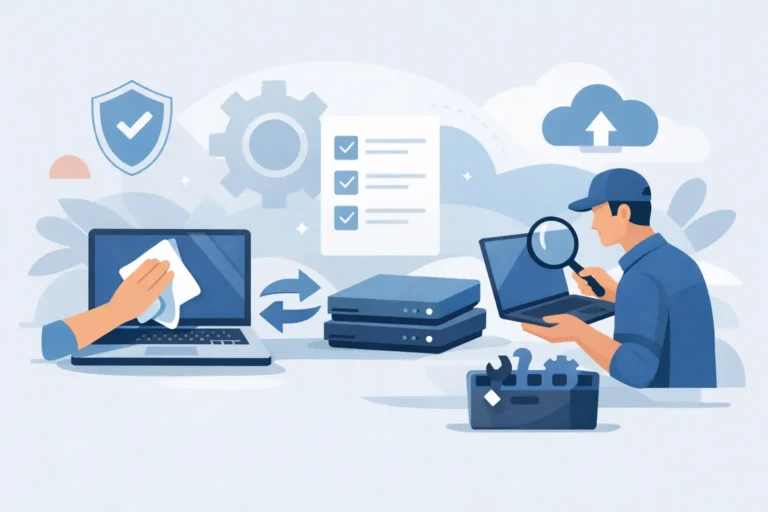
A business laptop trade in is not simply a way to clear surplus equipment. Done properly, it is a controlled stage in IT asset management: devices are identified, data is erased, condition is verified and remaining value is returned to the organisation. Done poorly, it can leave gaps in asset records, expose data and send usable hardware into an unnecessary waste stream.
For businesses, schools and public sector teams, the difference is process. A refresh cycle may involve a few dozen laptops or several thousand, but the same questions apply. Which devices still have resale potential? What happens to stored data? Can equipment be redeployed before it is sold? And how will the organisation evidence what has happened to every asset?
What a business laptop trade in should achieve
The aim is to recover value without losing control of the device lifecycle. A suitable trade-in route assesses business-grade hardware against its specification, age, cosmetic condition, working state and current market demand. Lenovo ThinkPad, Dell Latitude, HP EliteBook, Apple MacBook and Microsoft Surface devices often retain value because they are designed for managed workplace use and have established demand in the refurbished market.
That does not mean every laptop should be traded immediately. A three-year-old device with sufficient performance, sound battery health and Windows compatibility may be a better candidate for internal redeployment. It could support a new starter, a temporary project, remote working or a school loan pool. Trade in becomes more useful when a device no longer matches the organisation’s operating needs but still has a viable second life.
The strongest programmes separate these decisions. First, assess whether the hardware should remain in service. Then identify stock suitable for refurbishment and resale. Finally, route genuinely uneconomic or failed equipment through responsible recycling. Mixing these categories together usually reduces recovery and makes reporting harder.
Start with an accurate asset picture
Trade-in value is easier to protect when information is collected before devices leave site. At a minimum, record the make, model, serial number, processor, memory, storage capacity, screen size and power adaptor status. For Apple hardware, activation status matters. For Windows laptops, note whether the device has an embedded licence, a valid digital entitlement or an organisation-managed installation.
Condition should be described honestly. Light casing wear is normal on fleet hardware and may have little impact on a professional refurbishment route. Cracked displays, liquid damage, missing keys, swollen batteries, damaged ports and BIOS or firmware locks are different matters. They may reduce value, but identifying them early prevents disputes once equipment is inspected.
This record also closes the gap between finance, IT and procurement. Finance can confirm that retired assets are accounted for. IT can validate that the intended devices have left service. Procurement can compare recovery against the cost of the incoming estate. A serial-number-level report gives each team a common reference point.
What to prepare before collection
A trade-in partner can inspect and grade hardware, but internal preparation still affects speed and outcome. Confirm these points before handover:
- Device ownership and asset records are complete, including serial numbers.
- Users have moved approved work files to the correct managed location.
- Mobile device management, endpoint security and device enrolment are removed where appropriate.
- Firmware passwords, activation locks and remote management locks are released.
- Chargers, docks and accessories are counted separately rather than assumed to be included.
For larger collections, use labelled batches by department, location or asset category. It reduces reconciliation work and helps identify exceptions quickly.
Data security is the non-negotiable stage
A laptop can look wiped and still contain recoverable information. Deleting user profiles, reinstalling Windows or formatting a drive does not by itself demonstrate secure erasure. The storage media must be handled using a documented process appropriate to the device and its drive type.
Modern business fleets commonly contain NVMe solid-state drives, SATA SSDs and, in older devices, hard disk drives. Each behaves differently. A professional ITAD and refurbishment workflow should identify the storage, apply a recognised sanitisation method, verify the result and retain a record against the relevant asset. If a drive cannot be securely erased or has failed, physical destruction may be the correct route.
Encryption changes the risk profile but does not remove the need for controls. BitLocker, FileVault and managed encryption keys are valuable protections while equipment is in service. At end of use, organisations should still verify key handling, account removal and erasure outcomes. This is particularly relevant for laptops used by remote workers, where local documents, browser data and cached credentials may not be visible in central file systems.
Ask for clear evidence of completion. The exact format will depend on the provider and project, but a useful report ties serial numbers to processing status and records exceptions. That evidence supports internal governance, audit requirements and customer assurance.
Value depends on specification, condition and timing
Trade-in quotes are not fixed catalogue prices. Two laptops with the same model name can have very different resale prospects. Processor generation, RAM, storage, display specification, battery condition and cosmetic grade all matter. A recent 14-inch business laptop with 16GB of memory and a healthy SSD will generally have a stronger market than a lower-specification unit with an ageing battery.
Timing matters too. Demand can shift as Windows support dates approach, education budgets are released or manufacturers launch replacement models. Devices that remain suitable for Windows 11, current macOS versions or managed ChromeOS deployments tend to be easier to place in a second-life market. Older hardware may still be useful, but its likely buyer and price point are narrower.
The trade-off is straightforward. Holding equipment for a better future price can be tempting, yet stored devices can depreciate, lose battery health and consume space and admin time. Selling too early may overlook useful internal life. A planned refresh policy gives teams a decision point before devices become a problem rather than after.
Refurbishment extends useful life beyond the first owner
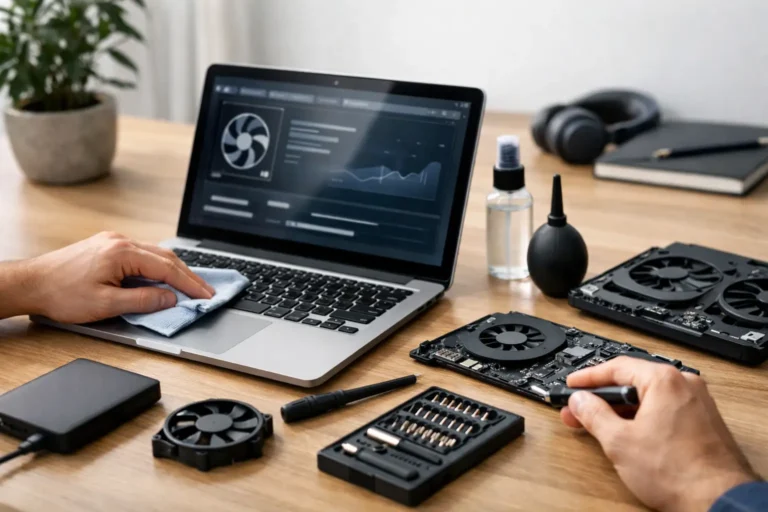
A credible trade-in programme feeds the circular economy when equipment is properly tested, repaired where viable and graded accurately for its next user. Refurbishment can include diagnostics, component replacement, battery testing, cleaning, operating system installation and quality assurance. The result should be a device that is described clearly, not simply a used laptop placed back on the market.
This matters because second-life buyers have different requirements. A small business may need affordable Windows laptops for a growing team. A school may need standardised Chromebooks or desktops for classroom use. A charity may prioritise dependable equipment within a fixed budget. Consumer buyers may look for a professionally restored MacBook or ThinkPad rather than a new device. Accurate grading and testing make those purchases more predictable.
For the original owner, this route also reduces avoidable e-waste. Extending the working life of an enterprise laptop is often more resource-efficient than replacing it prematurely. Sustainability claims carry more weight when they are backed by asset records, reuse volumes and a clear route for equipment that cannot be resold.
Choose a partner that can manage exceptions
The easy part of a trade-in is the standard, working laptop. The real test is what happens to the units that do not fit the standard route: laptops with locked firmware, missing chargers, damaged screens, failed batteries, mismatched serials or storage that cannot be processed normally.
A capable partner should explain how inspection changes are handled, when a revised valuation is issued and how non-resale stock is separated. It should also be able to process mixed fleets rather than only the most valuable models. That is useful for organisations replacing Dell, HP, Lenovo, Apple and Microsoft hardware across different departments.
Refurb X Connect approaches this as a connected lifecycle process: secure handling, device assessment, refurbishment where viable, and a defined onward route. The objective is not to make every device look identical. It is to provide a defensible outcome for each asset.
Make trade in part of the refresh cycle
The best time to plan disposal is before new laptops arrive. Set the refresh scope, identify redeployment candidates, create an asset export and agree the data-erasure process alongside the procurement plan. This avoids the familiar result of retired laptops accumulating in cupboards while their condition and ownership become less certain.
For recurring fleet changes, define a simple policy by device age, specification and role. High-performance mobile workstations may have a different replacement point from standard office laptops. Apple hardware may retain value on a different curve from Windows devices. Chromebooks require attention to their automatic update expiry dates. A single rule for every device type rarely produces the best return.
A well-managed business laptop trade in gives equipment a controlled exit from one organisation and a useful entry into another. Keep the records accurate, make data erasure provable and assess each device before writing it off. Those steps protect value now and make the next refresh cycle easier to run.